Tabesto
Food Tech
Click & Collect
SaaS
Product Thinking
Product Design
Human-Centricity
Responsive
Duration
July 2023
3 Months
Project
Conception Phase
Technology
Figma
Figjam
My Role
UX/UI Lead
Background
Tabesto is a white-label kiosk solution that helps independent restaurants streamline order-taking and payments. It democratises ordering kiosks by replacing paper menus with a seamless digital solution.
Context
In 2023, Tabesto wanted to create a click and collect platform where restaurants customers could place their order for click and collect purpose. This service will initially be available for French customers, and then expanded to European countries.
Timeline
Strategy
2 Days
Goals
Functional
Discovery
15 Days
Brainstorm
Global Research
User Journey
User Interviews
Solution
40 Days
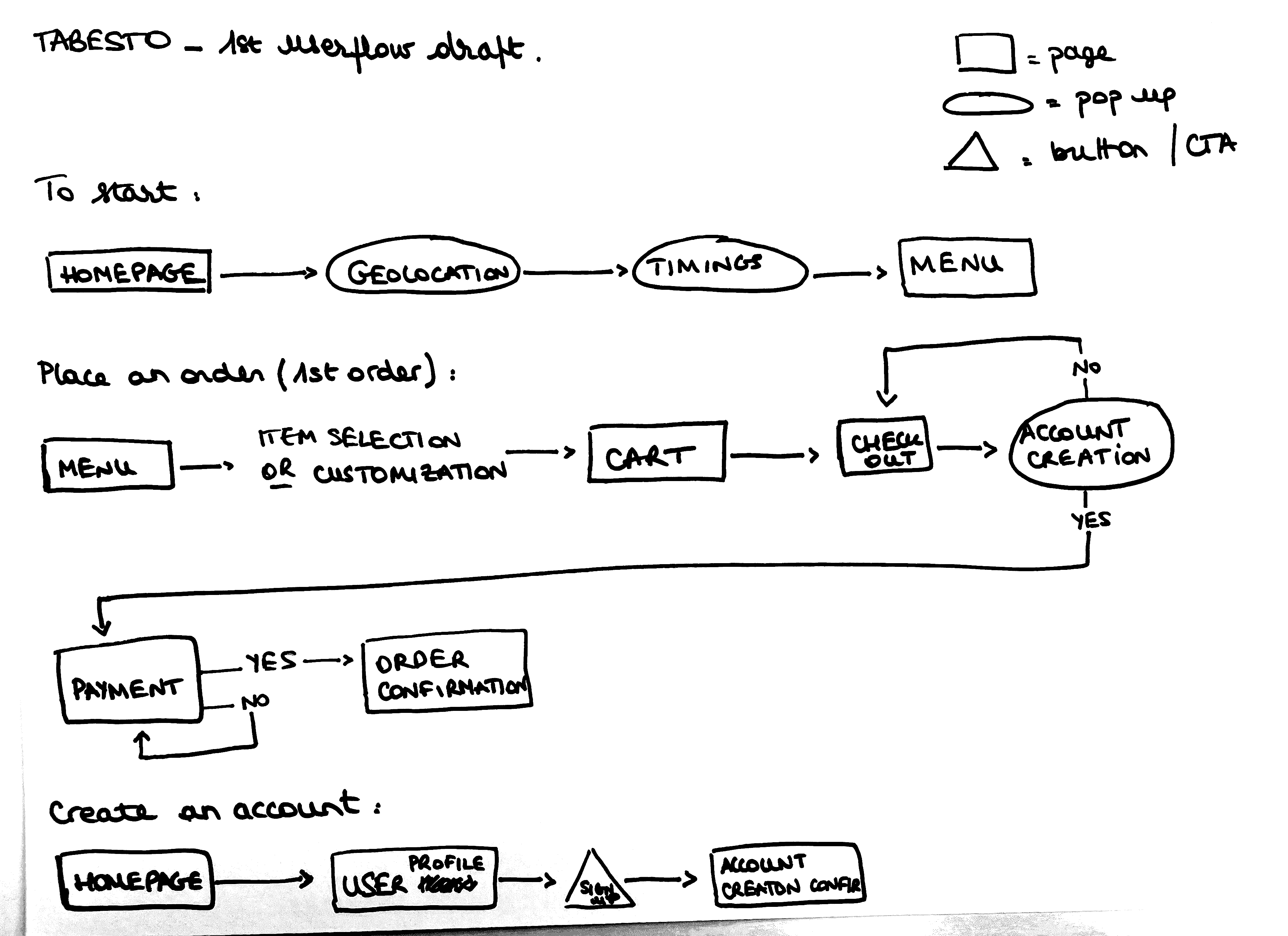
User Flows
Sketching
UI Concepts
Wireframing
Design System
Projects Goals
01
Saving Time
Order food at restaurants quick and seamless.
02
Responsive
Web application responsive for mobile version.
04
Satisfaction
Create a reassuring experience to complete orders confidently.
03
Geolocation
Enhance the user experience with location-based restaurants.
05
Filters
Enable to find food that meet user preferences criteria quickly.
Problems
01
As a new user and consumer of the restaurant, I want the platform to provide a welcoming and intuitive experience.
02
As a new user who plans to become a frequent consumer of the restaurant, I desire a seamless and enjoyable ordering click-and-collect process.
03
As a frequent user of the platform, I seek an efficient and time-saving ordering process. The platform should recognize my preferences and offer quick order placement.
Solutions
Design an onboarding process that guides new users through the platform, highlighting key features and simplifying the initial ordering experience.
Incorporate a user-friendly account creation process and a loyalty program, providing incentives for repeat orders and creating a positive user experience.
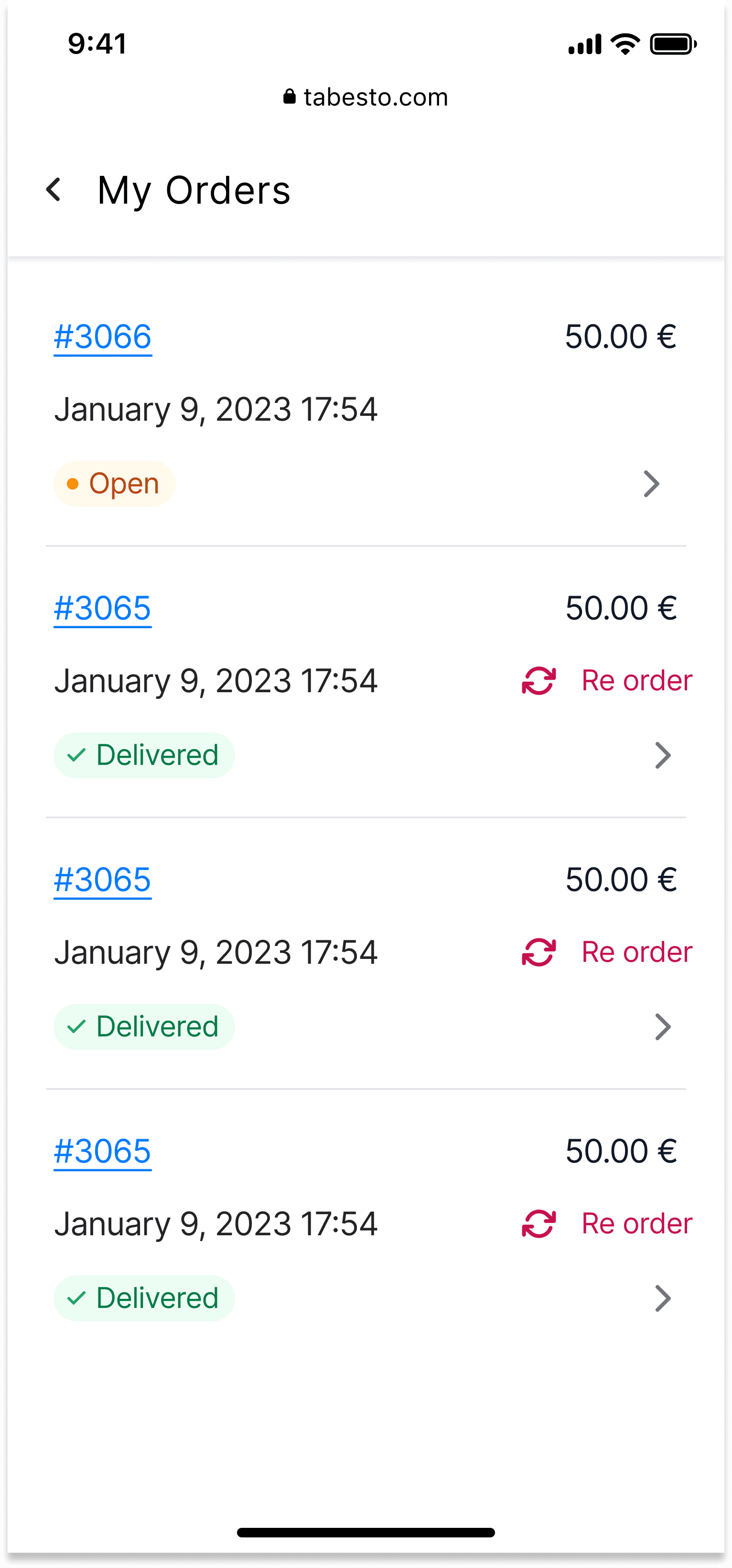
Implement a dashboard that showcases order history, favourite items, and a one-click reorder option, ensuring a hassle-free experience for users who frequently engage with the platform.
Personas
Client-provided statistics and end-user interviews informed the creation of two personas and their user journeys, highlighting key experience stages, pain points, and opportunities for improvement.

Alex
The Busy Professional
30 years old
Paris
Values Efficiency
Project Manager
Hard worker
Organized
Time-conscious
Always on the go
Food Habits
Loves good food but prioritizes quick and convenient ordering.
Pain Points
Limited time for lunch due to a packed work schedule.
Wants fast and efficient meal ordering without long browsing.
Prefers a seamless experience with saved preferences and quick reordering.
Needs
A platform that minimizes ordering time and provides fast pick-up options.
Easy access to favorite restaurants and meal customization.
Real-time order tracking for better time management.

Stephanie
The Student on a Budget
21 years old
Marketing Student
Lyon
Busy with studies
Social
Tech-savvy
Looking for good deals
Budget-conscious
Food Habits
Loves good food but prioritises quick and convenient ordering.
Pain Points
Balancing a student budget with eating out.
Wants an easy way to explore new food spots without spending too much time.
Prefers a mobile-friendly and intuitive ordering experience.
Needs
A platform with promotions, student discounts, and budget-friendly options.
Simple navigation with clear prices and meal choices.
A loyalty program or rewards for frequent orders.
User Flows
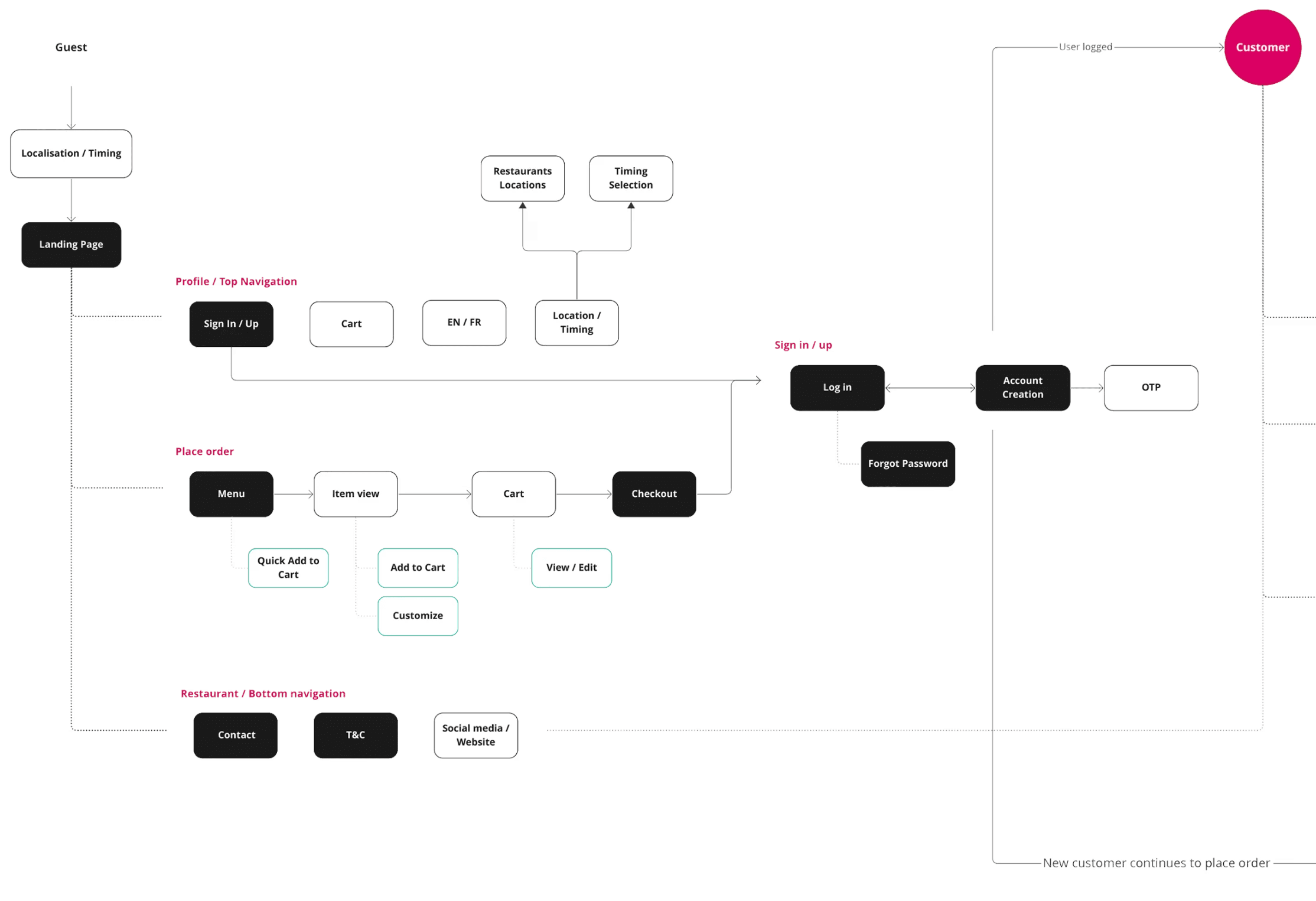
I created user flows that focus on the entry point, showing how each screen helps users reach their goal while meeting feature requirements. The flows aim to make tasks easy and smooth. I designed them for both mobile and web, at both a high level (main journey steps) and a detailed level (screen interactions).
Sketches
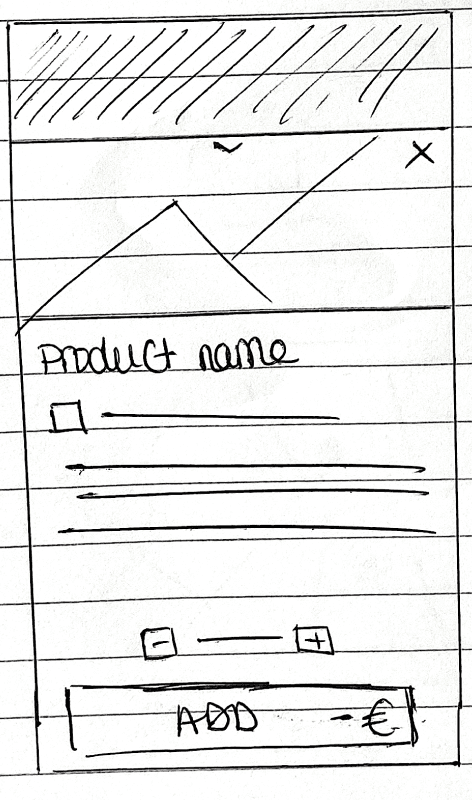
I began with low-fidelity wireframes to emphasize primary functionality and feature requirements, then refined the design iteratively using Figma prototypes for user feedback before finalizing details.
Web
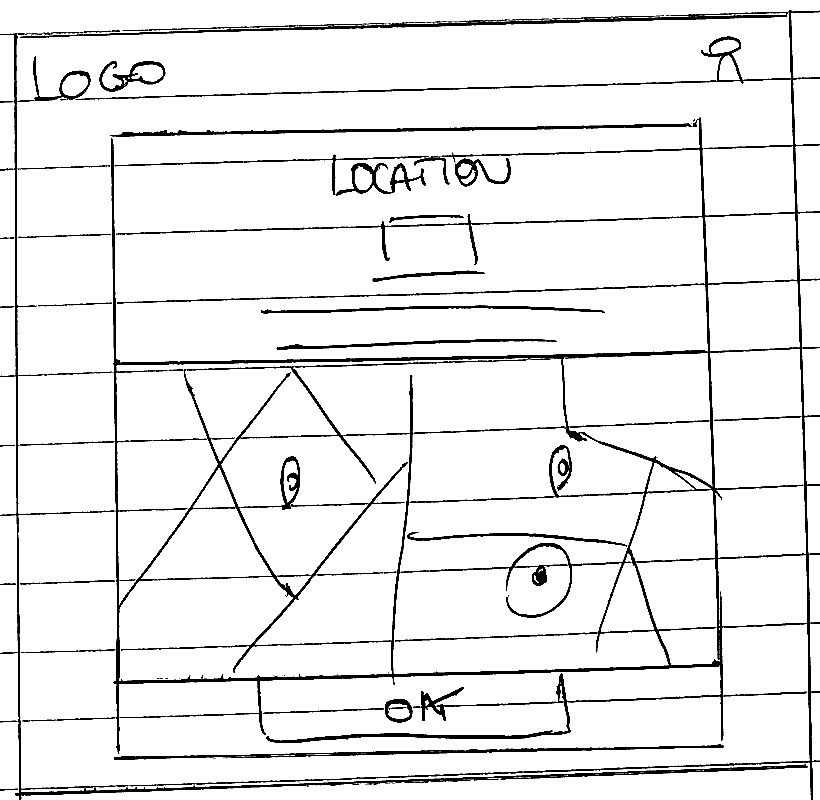
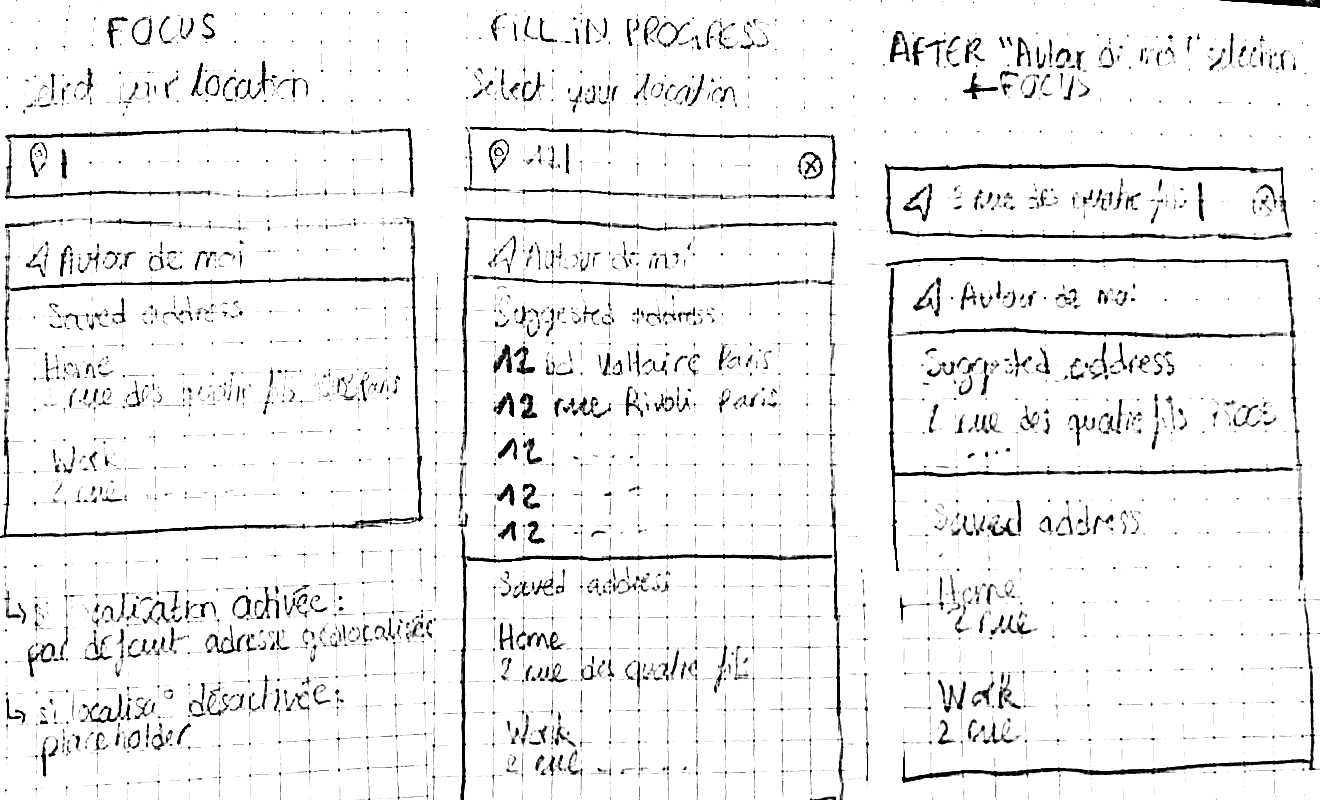
Entry point: user geolocation to display relevant restaurants.
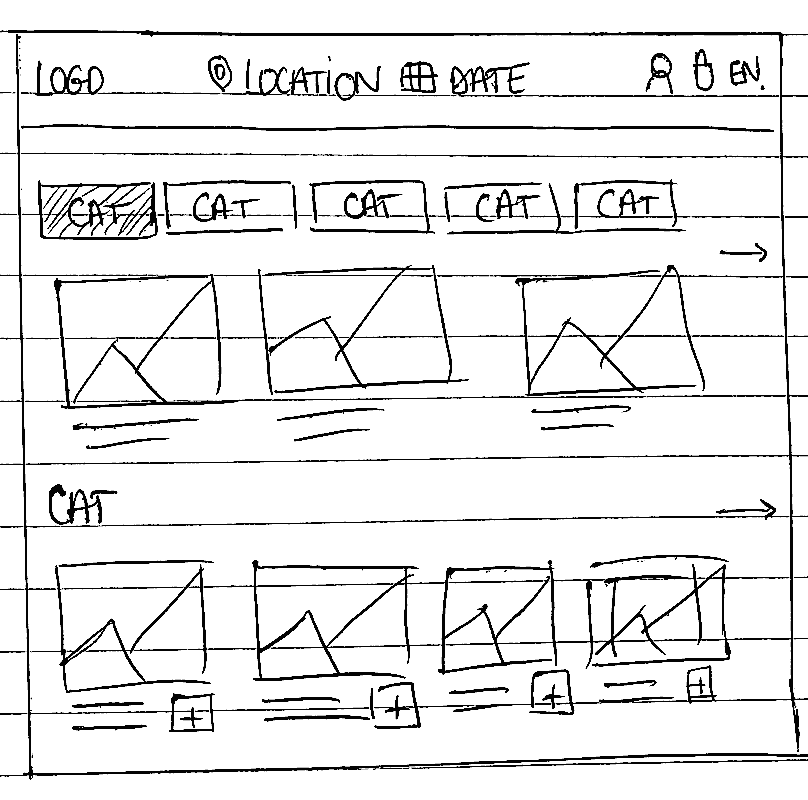
Geolocation-based homepage showing available menus.
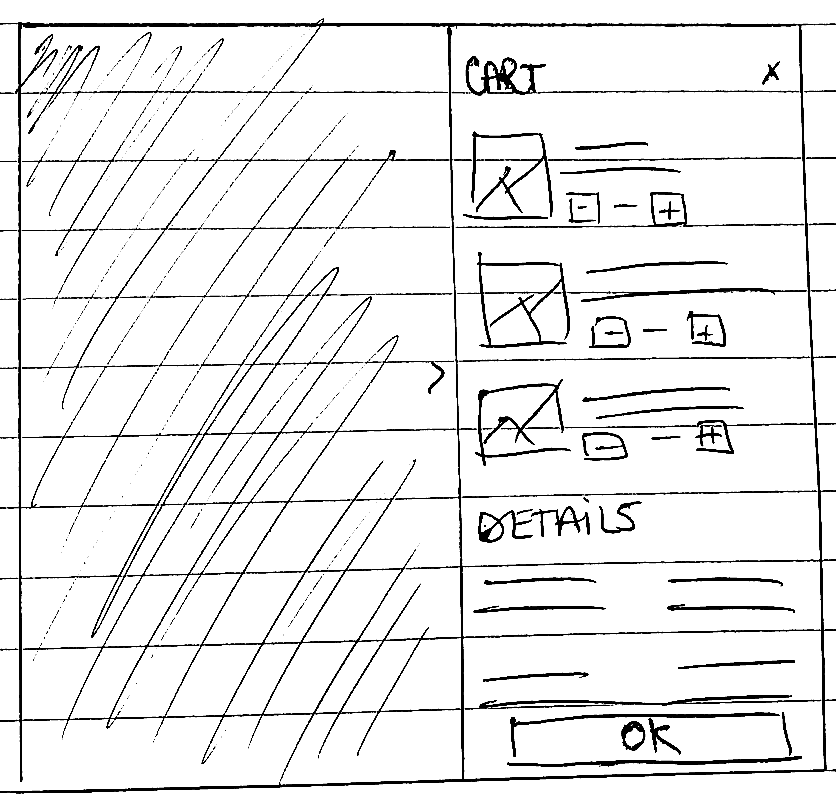
Cart overview: review selected items before checkout.
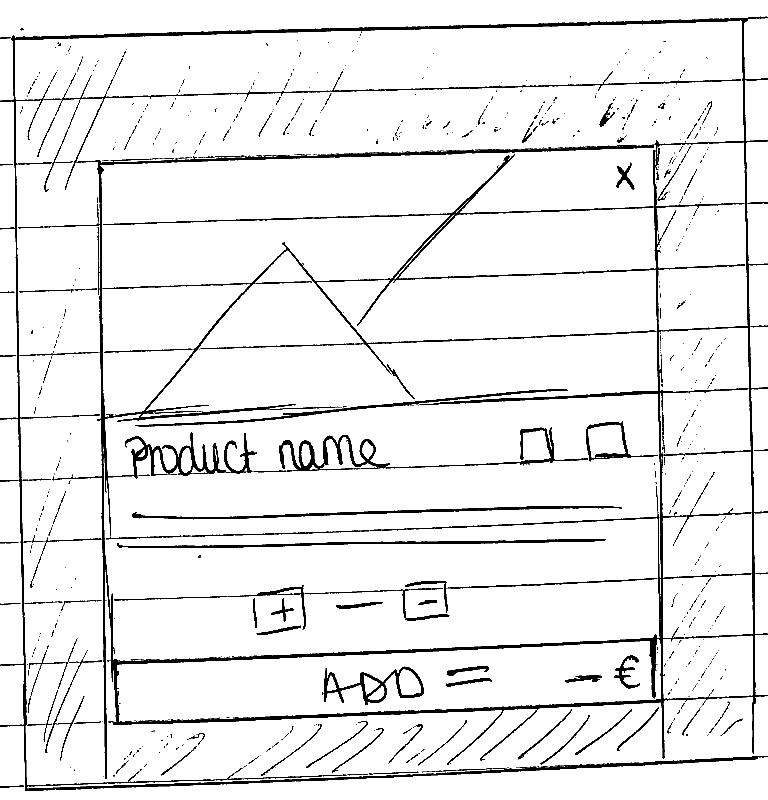
Product details: configure and add item to cart.
Responsive
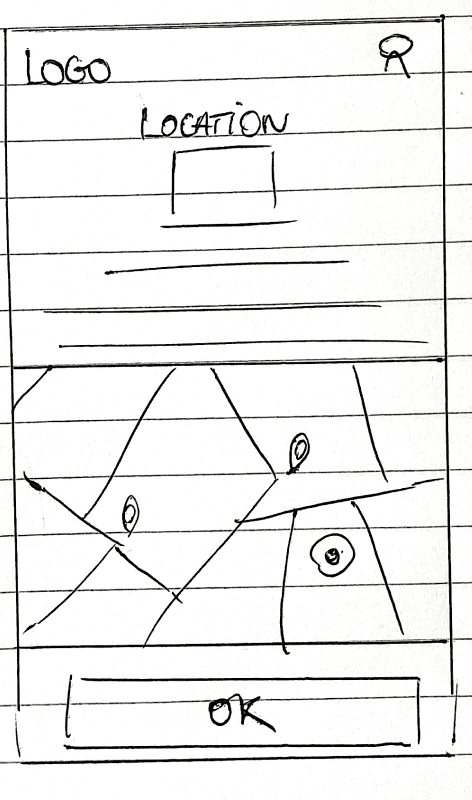
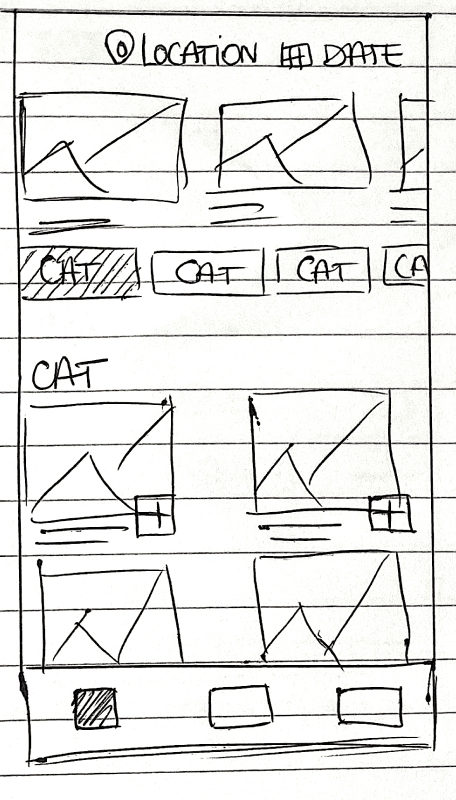
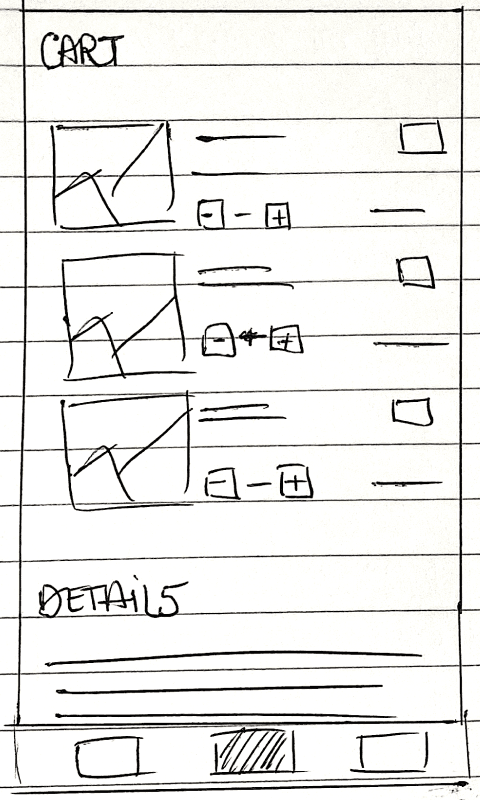
Geolocation Focue
Visual
During the UI design phase, I incorporated Tabesto's branding for adaptability, creating a minimal and versatile design. This enables restaurants to promote their brands clearly by adding logos and photos, ensuring a clean presentation on both web and mobile devices.
Base Colors
2 variants
Shades of Grey
9 variants
Font
Scale
Inter
H1
SemiBold
34px
H2
Bold
28px
H3
Medium
20px
H4
Medium
17px

Home & Search
The interface provides a primary method for filtering restaurant's menu: by categories. With a fixed scrollable menu bar, users can quickly grasp the types of products available at first glance. In this case, using a single filter is appropriate because most of their restaurants offer a short food menu.
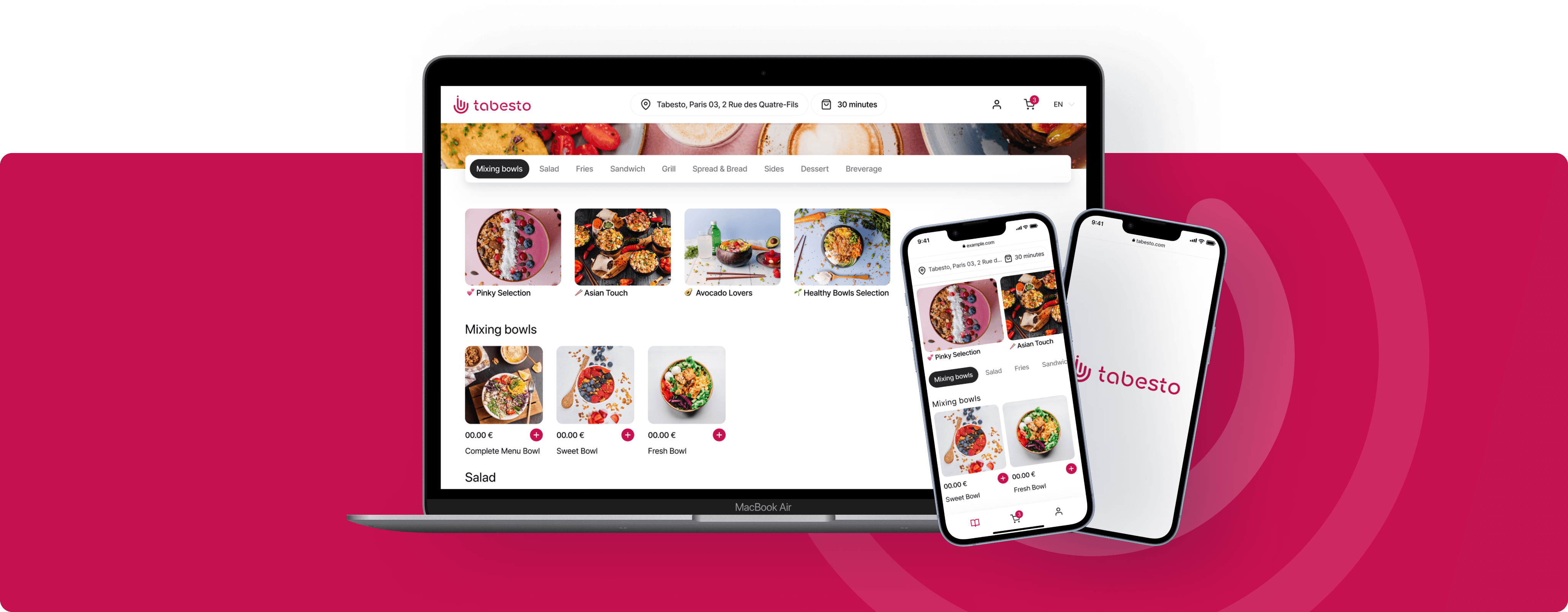
Clean interface design
User friendly design
Based on user location
Easy categories selection
One page menu
Adaptable for any restaurant branding
Geolocation
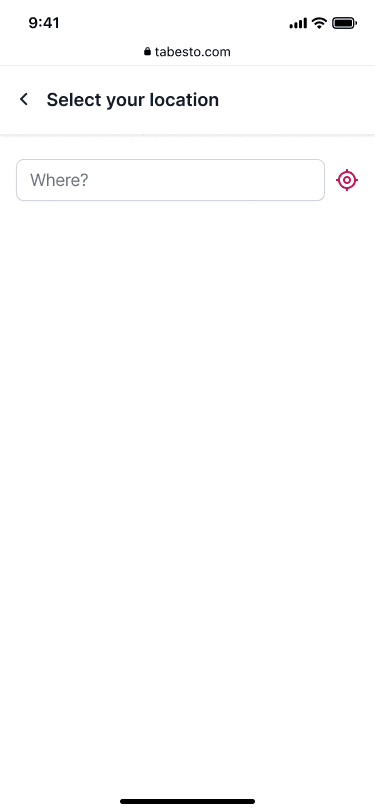
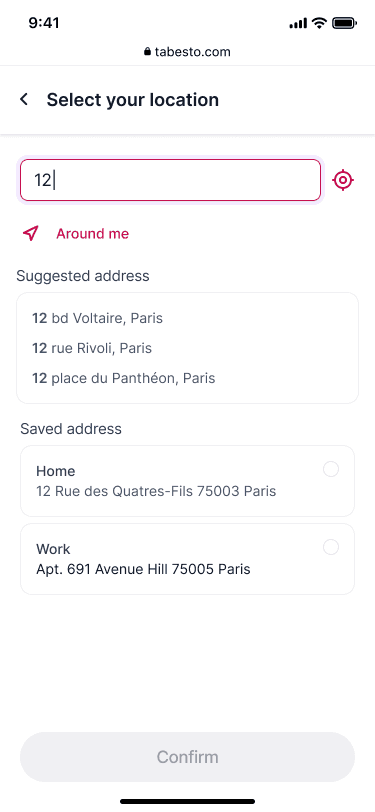
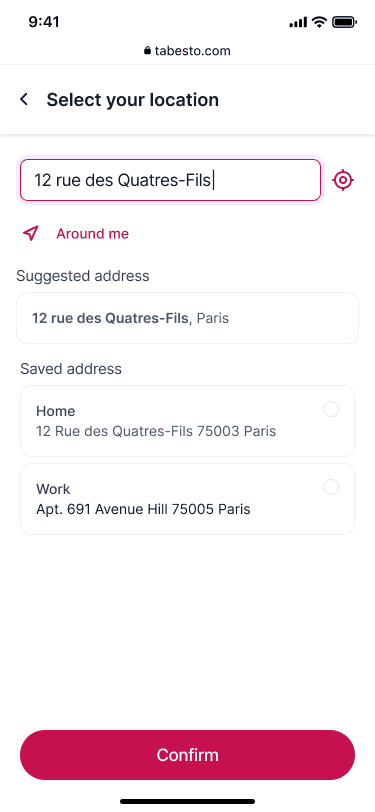
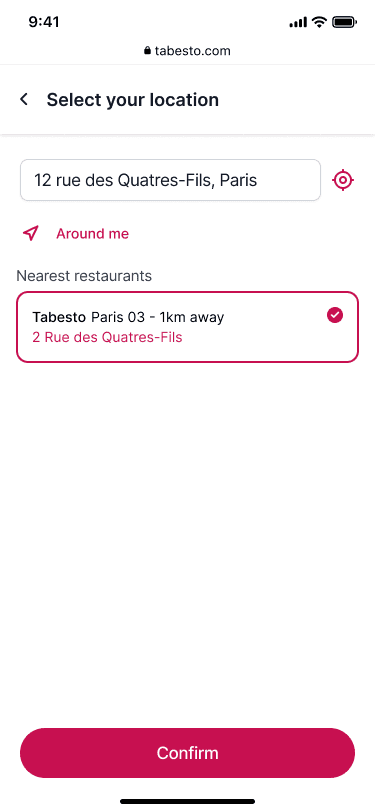
To enhance the user experience, the interface begins by confirming the user's location to ensure a smooth food pickup process. However, users also have the option to save addresses if they are not currently at the nearest location, or if they would like to place an order for someone else.

Menu & Product
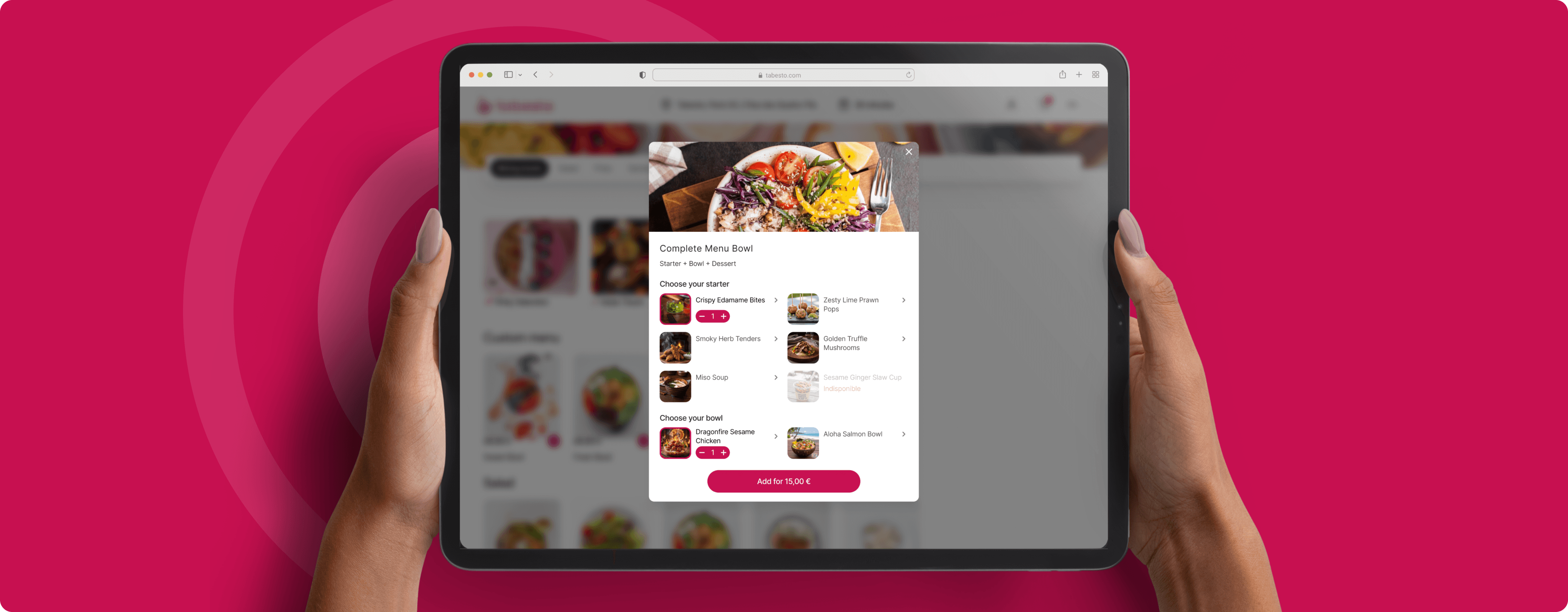
One of the most challenging parts was designing the menu/product selection flow to adapt to the variety of menus each restaurant offers. Some restaurants have simple products, while others offer fully customizable items like bowls, salads, or menus with multiple steps. The goal was to design a flow that’s easy to use, quick, and flexible enough to match any restaurant’s menu.
Menu Selection
Simple Product
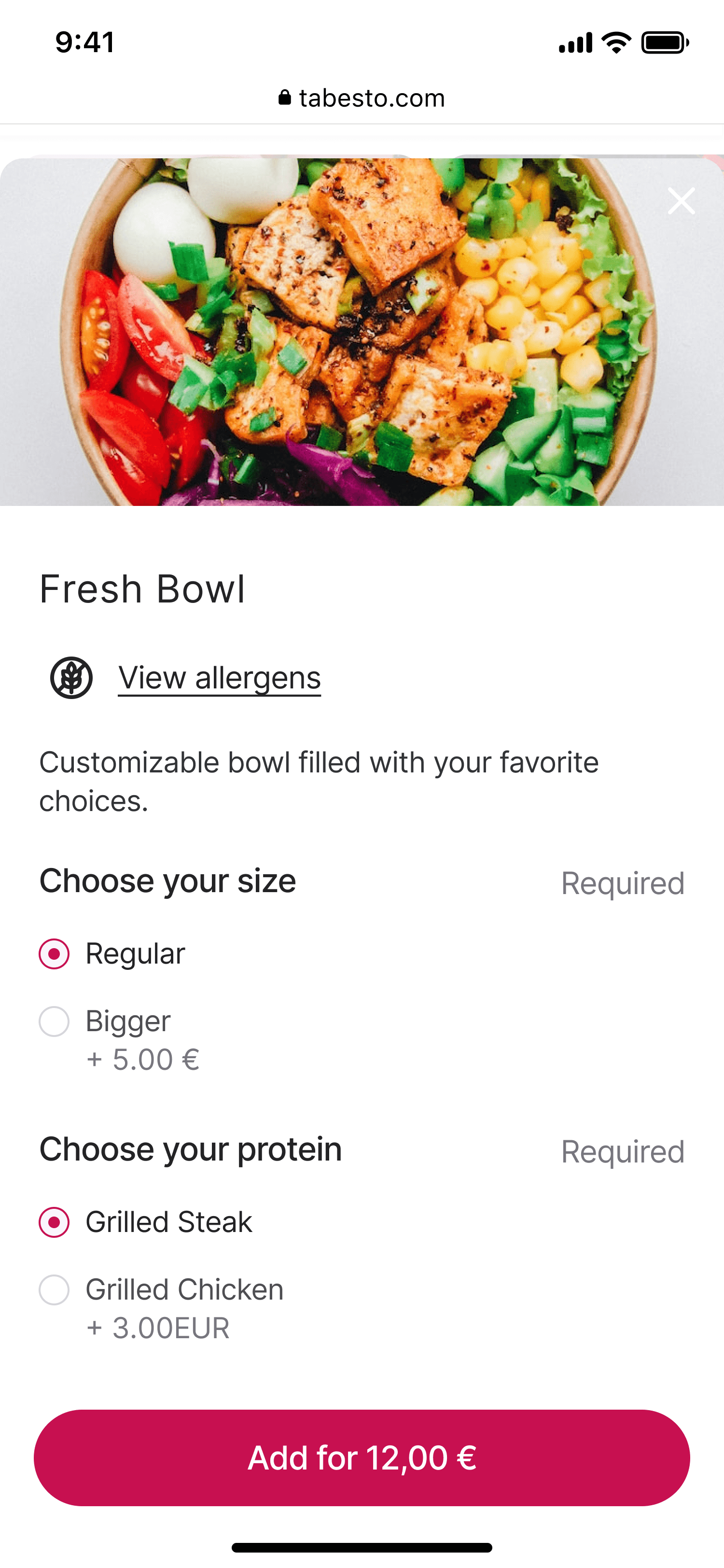
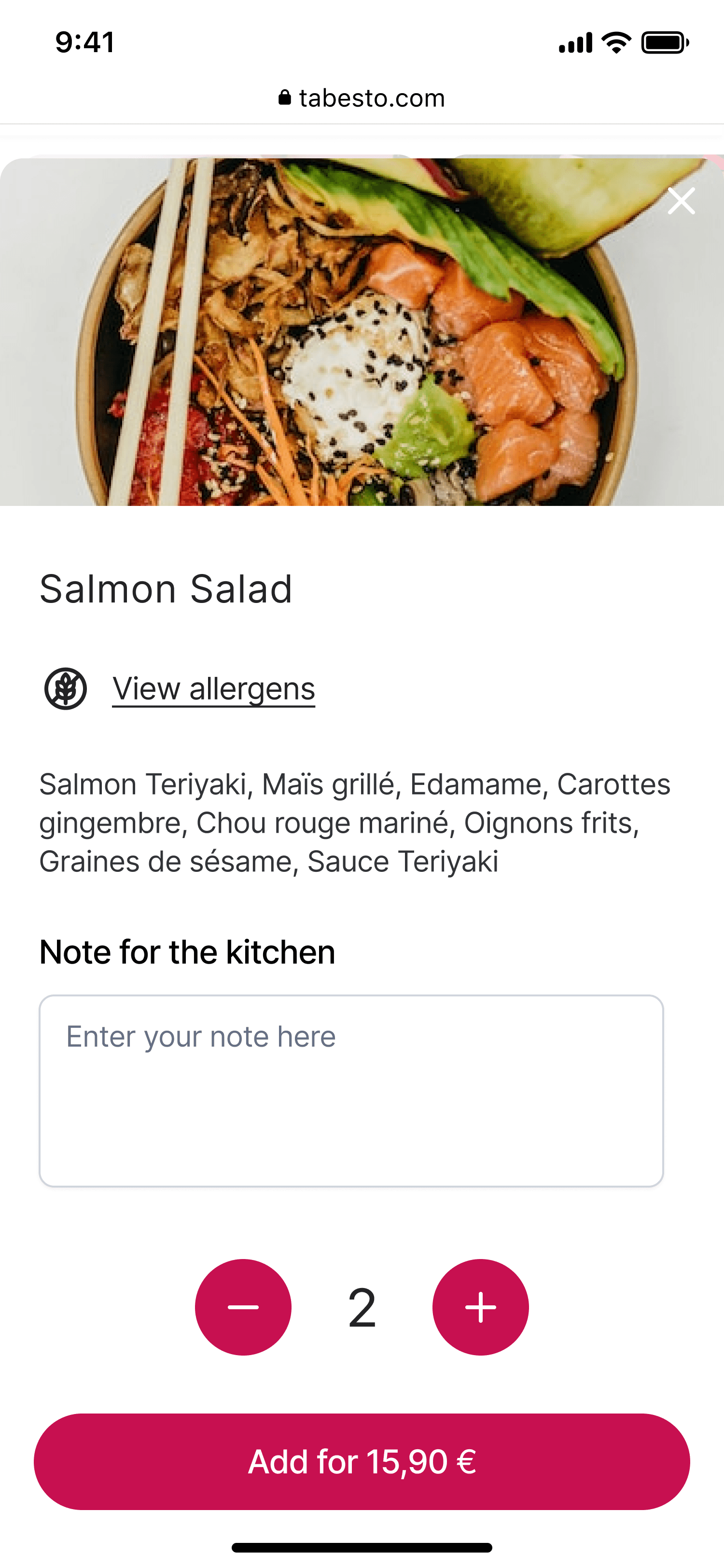
Customizable Product
Search & Filter
Implemented a fixed, scrollable category menu bar to filter restaurant items, enabling users to quickly grasp available options. Opted for a single filter method, as most restaurants offer short menus, which streamlined navigation and improved menu discoverability at first glance.

Profile
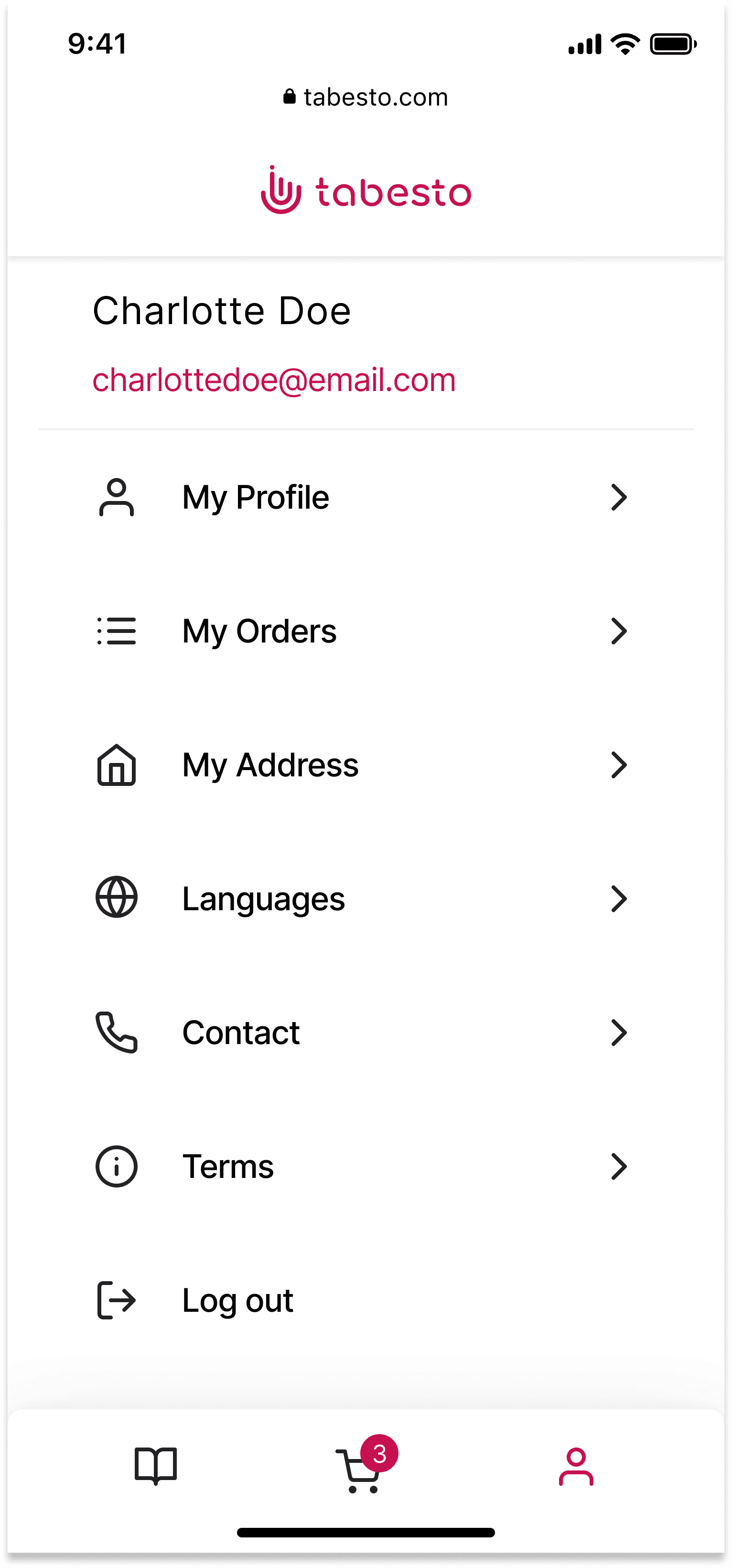
User Friendly Account Details
Access everything from one place. Edit your profile, track your orders, manage your addresses, choose your language, get help, review the terms of use, and much more all from your account screen.
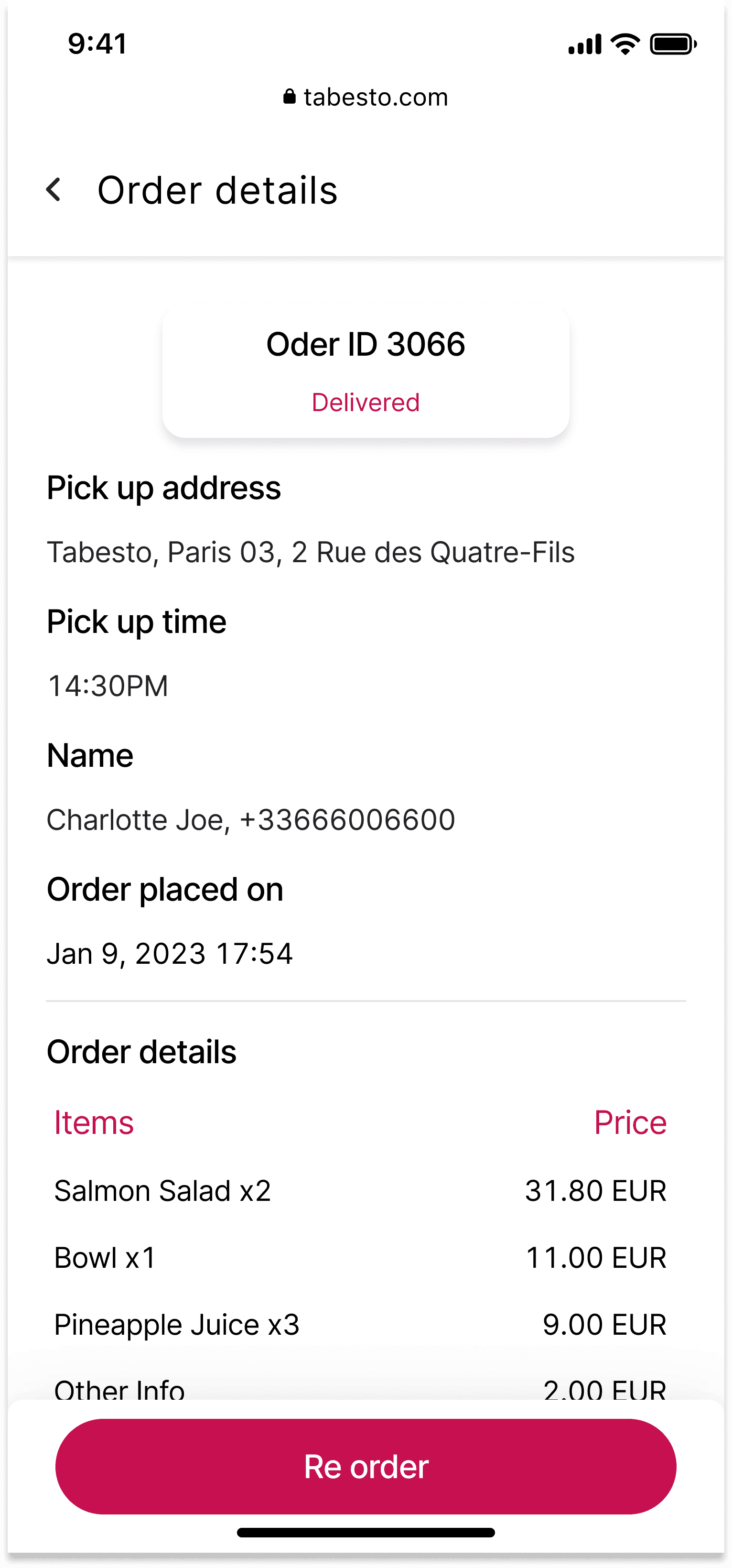
Receipts
Download and print receipts after completing the purchase. Buyers will present their receipt or ID number to pick up their order. Receipts not only help consumers keep track of their spending but also allow businesses using the back office to include them in financial reports.
Tabesto Study Case
Year
2023
Deliverables
UX
UI
Research
Service
Responsive
Website
Scope
Global Research
User Journey
Brainstorm
Interview
User Flow
Sketching
Wireframes
UI Concepts
Design System