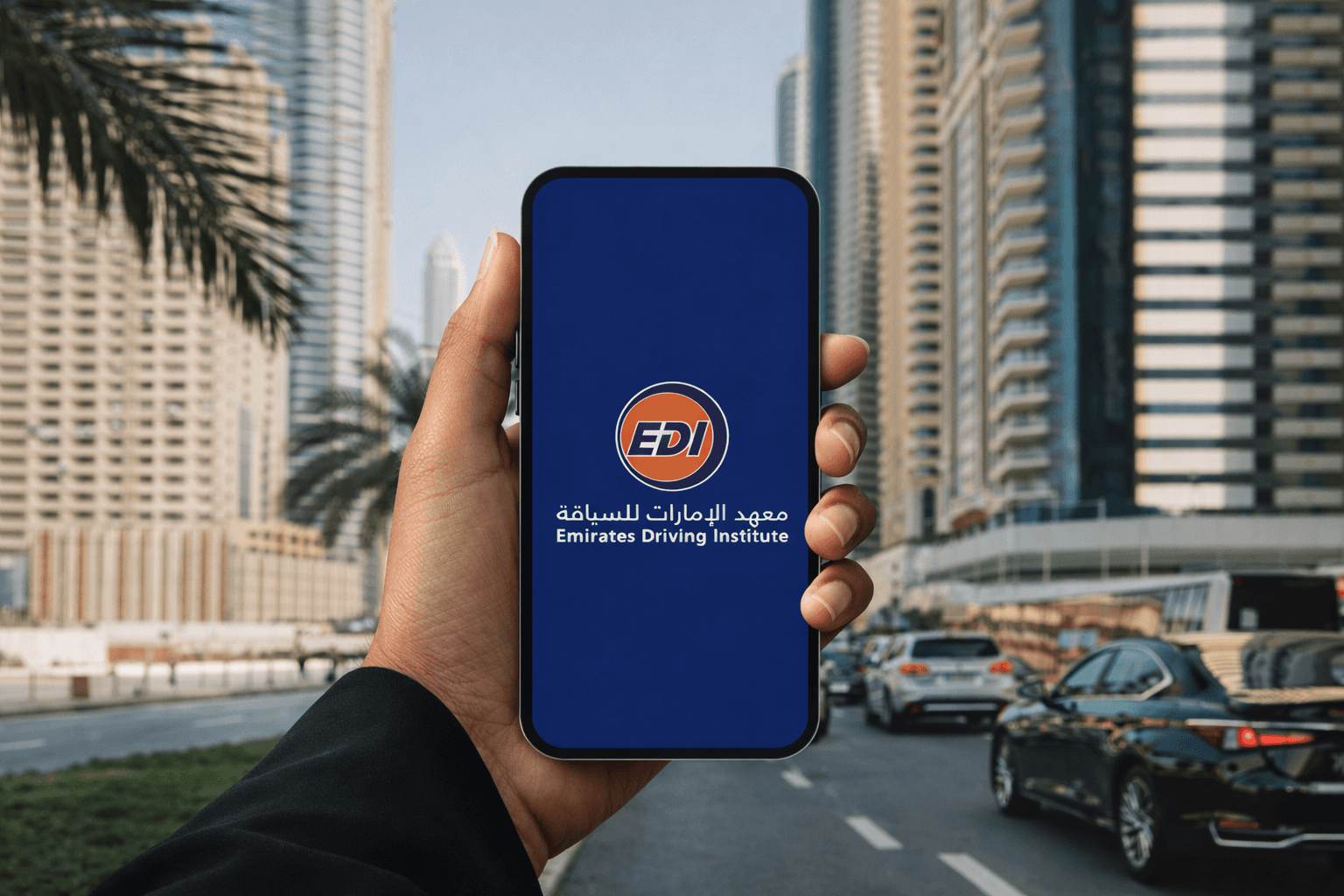
Emirates Driving Institute
Student Enrollment Experience
Mobile First Redesign
Product Thinking
Product Design
Human-Centricity
Hi-fi Prototyping
Duration
September 2023
8 Months
Project
Conception Phase
Technology
Figma
Miro
Draw.io
Hotjar
My Role
UX / UI Lead

Context
Emirates Driving Institute (EDI) is one of the largest driving schools in the UAE. Their existing registration process was outdated, complex, and heavily dependent on their customer care center.
Goal
Redesign the full digital onboarding experience for new students by making it seamless, mobile-first, and self-service, while reducing the high volume of support calls and integrating directly with RTA (Roads and Transport Authority) systems.
Timeline
Strategy
2 Weeks
Goals
Functional
Business Scope
RTA Constraints
KPIs
Planning
Discovery
4 Weeks
Brainstorm
User Interviews
Persona
Global Research
Journey Mapping
On-site Observations
Solution
7 Weeks
User Flows
Sketching
Wireframing
UI Concepts
Design System
Testing
Challenges
Complex Multi-step Registration
Users had to provide sensitive information like passport, nationality, age, gender, medical status, and budget to determine the right driving package.
Most students preferred calling the center due to confusion with the digital platform.
Students had no way to track where they stood in the process (theory, tests, practice).
The platform needed to be synchronized with UAE’s Roads and Transport Authority (RTA) for verification.
Research & Discovery
Research Methods
On-site
Discussions with Customer Service team members.
Observations inside EDI branches.
Student Interviews at different stages.
On line
Analysis of Call Center data.
Benchmark of UAE driving schools.
Understanding the Driving Licence Ecosystem.
Key Insights
Environment
RTA Rules are perceived as complex.
Crucial Semi-Government context.
Driving Licence Eligibility misunderstood.
Interaction
80% of Users access via Mobile.
Package Selection is confusing.
Progression and Test Booking unclear.
Ecostystem Map
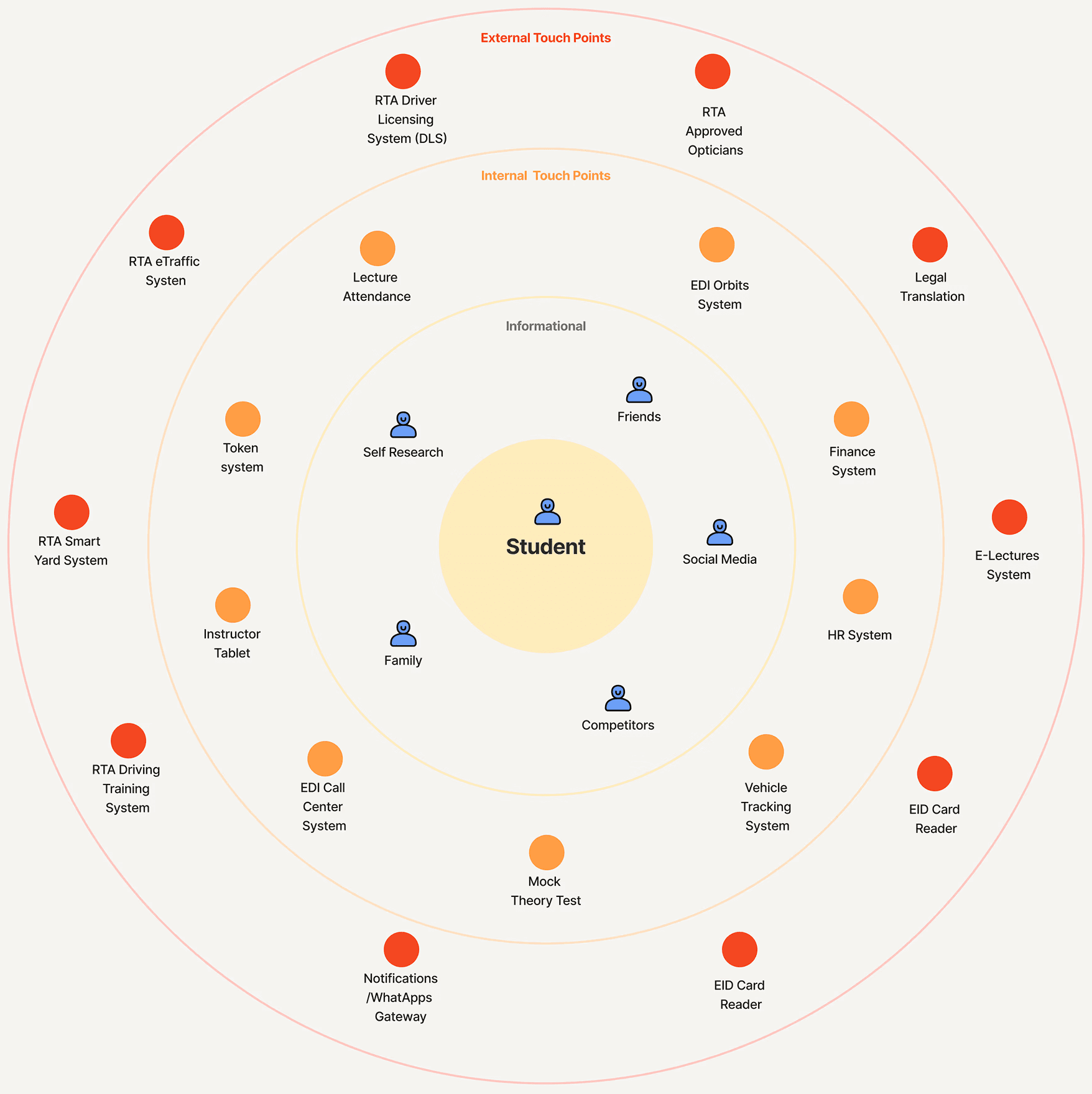
A high-level ecosystem map helped us understand all external and internal systems involved in the student journey from RTA regulations and medical tests to internal attendance, finance, and booking systems.
Stakeholder Map
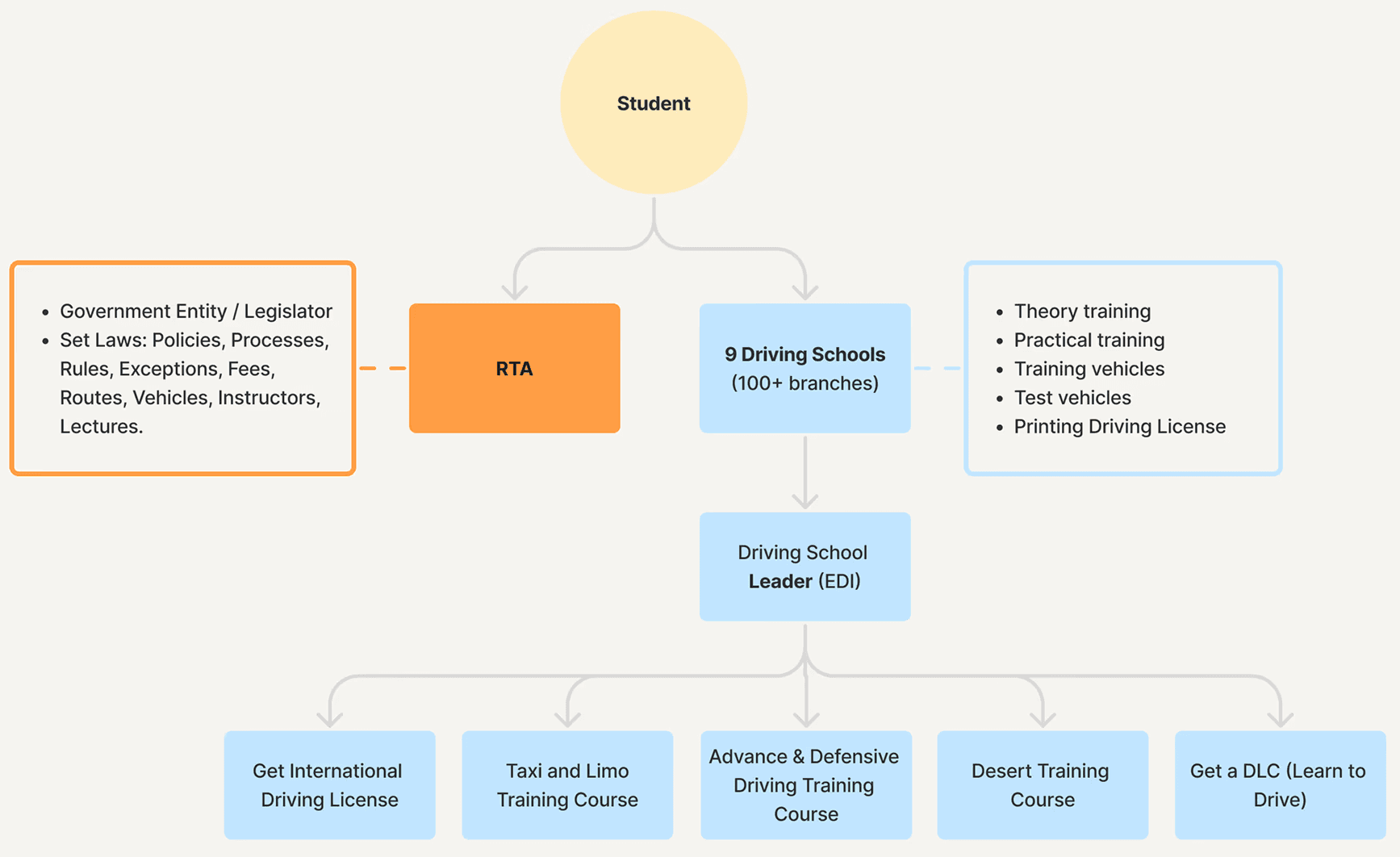
Mapping stakeholders from RTA regulators to driving school operators. I clarified the constraints, de pendencies, and approval points influencing the user experience.

Personas
Client-provided statistics and end-user interviews informed the creation of two personas and their user journeys, highlighting key experience stages, pain points, and opportunities for improvement.

Ahmed Al Rahman
The Confused Expat
32 years old
Dubai (1 year in UAE)
Syrian
Marketing Executive
He holds foreign licences but confused by UAE’s RTA rules and package options.
Goals
Get licence fast
Understand eligibility
Avoid unnecessary hours
Register online
Pain Points
Unclear eligibility (foreign licence + nationality)
Fear of wrong package
Poor progress tracking
Needs
Guided onboarding
Clear explanations
Personalized recommendation
Digital Behaviors
Loses trust quickly online
Calls customer support often
Seeks answers on YouTube / WhatsApp

Priya
The First-Time Driver
24 years old
Dubai (born & raised)
Indian
Junior Accountant
She has never driven before and wants a clear, step-by-step onboarding.
Goals
Clear journey
Online lectures
Understand RTA tests
Avoid branch visits
Pain Points
Too many packages
Confusing test system
Hard to track progress
Needs
Step by step flow
Beginner-friendly UI
Dashboard & reminders
Register online
Digital Behaviors
100% mobile-first user
Loves clear UI
Prefers video content
Responds well to notifications
Problem Discovery
High Volume of Complaints
Increase in Inquiries
Between October 2022 to February 2023, EDI recorded a sharp increase in support inquiries related to registration and eligibility. Our investigation uncovered three major problem themes.
01
No Incentive to Use the Online Enrollment
Users contacted support for basic steps: “How do I start?” - “Which package should I choose?” - “What documents do I need?”.
02
Unclear Eligibility Rules
Students were confused about: nationality-based eligibility, required training hours, foreign licence exchange rules, and package differences.
03
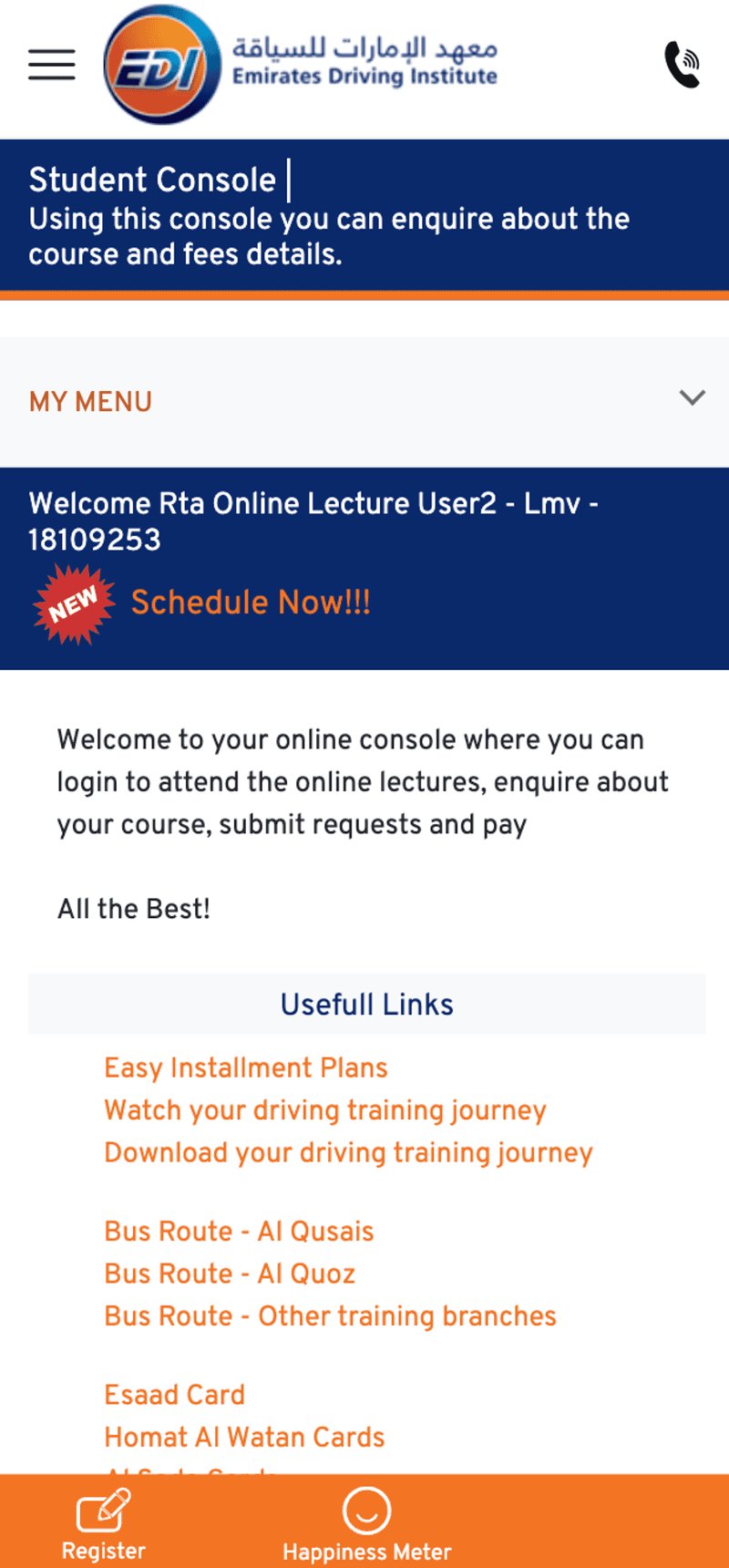
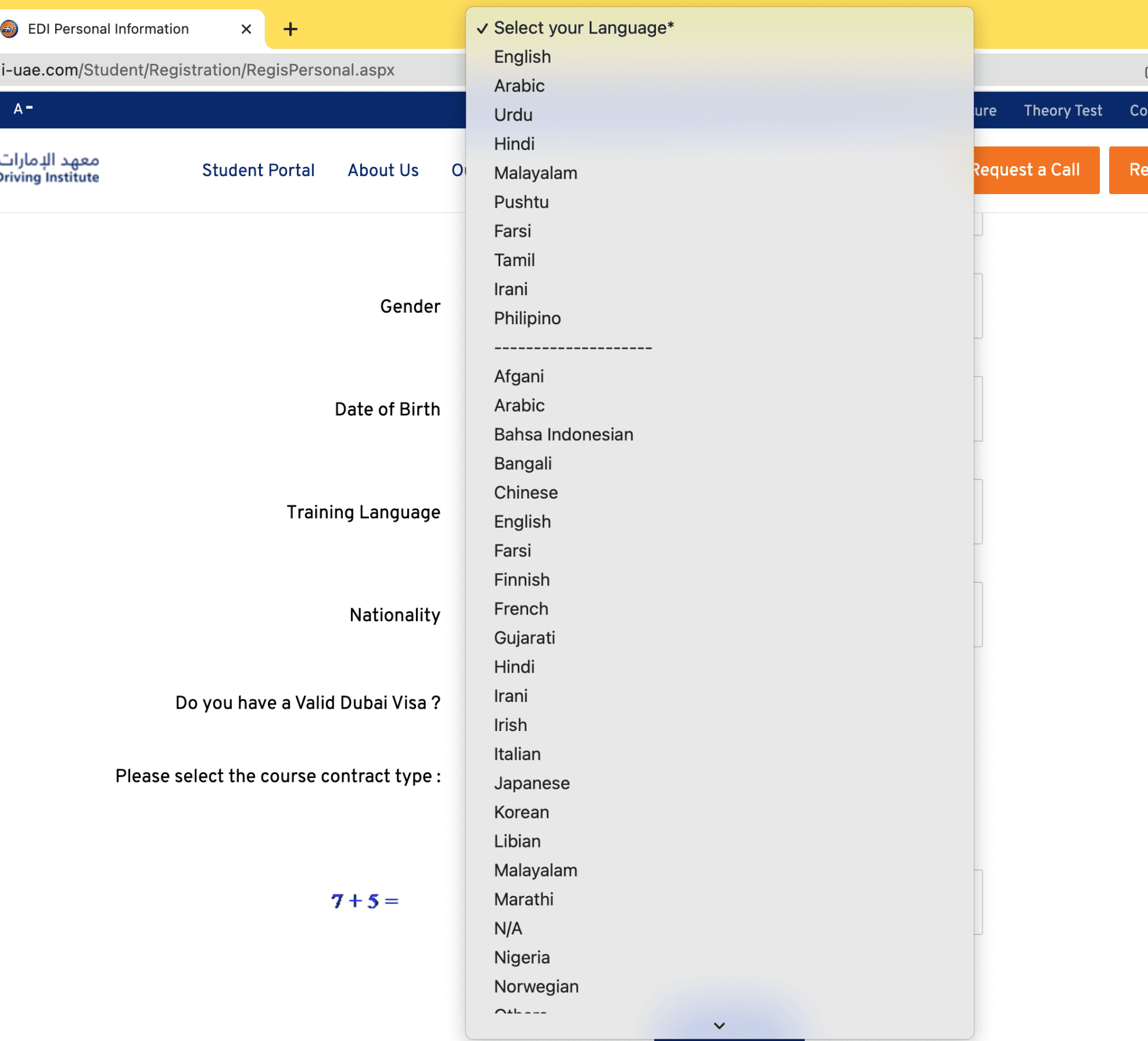
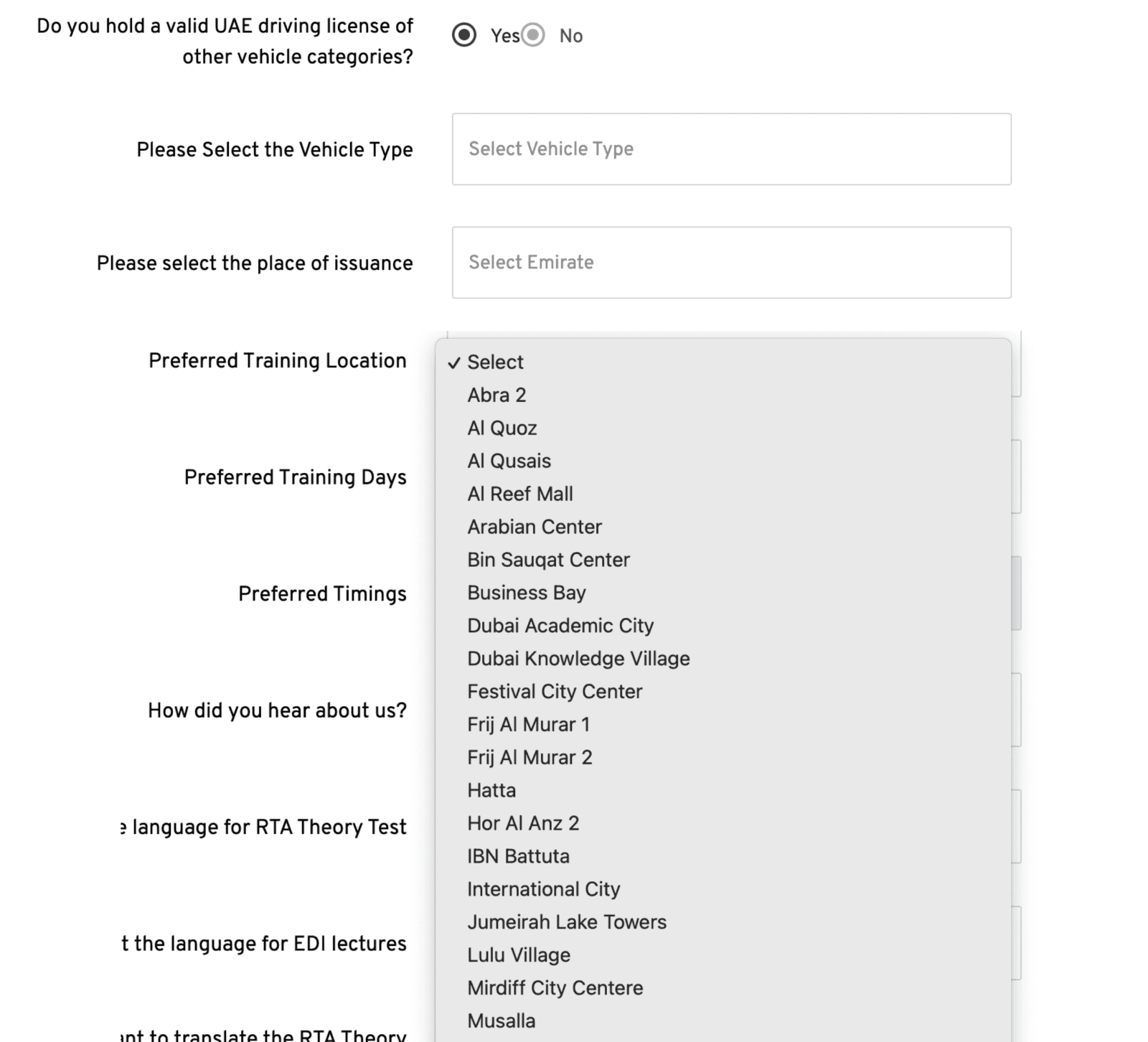
Poor Guidance & UI Issues
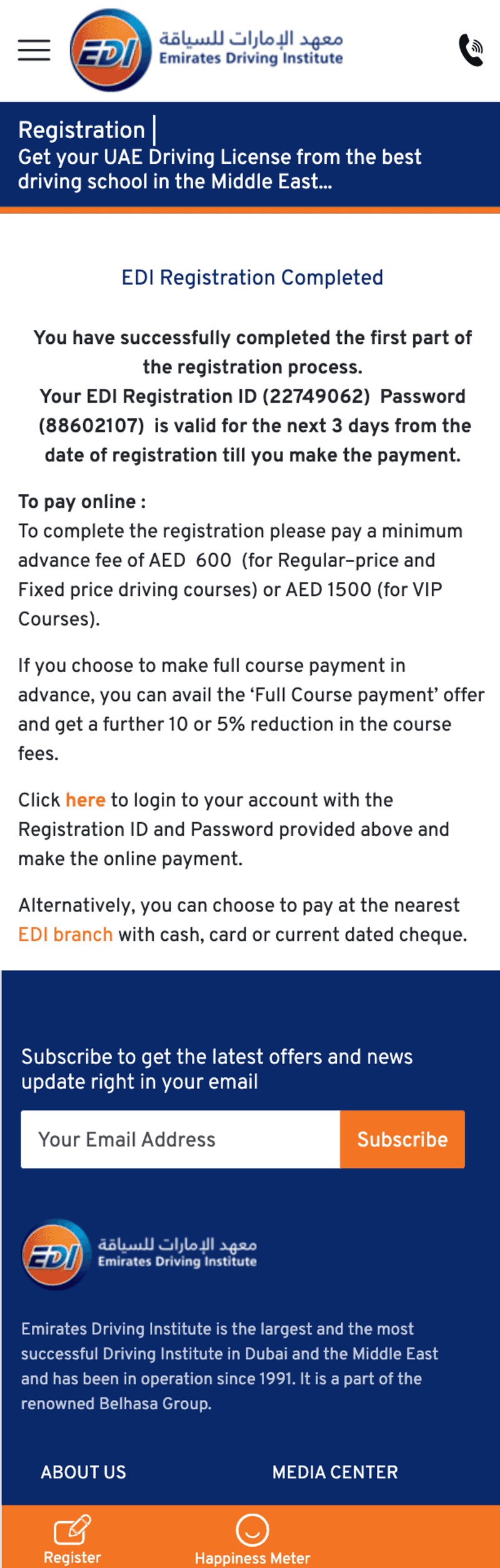
Analytics showed: 57% drop-off on the first page, only 12% reached package selection, and less than 5% viewed RTA requirements.



Aa
Text-Heavy
No Guidance
Poor Structure
No Mobile Experience
Experience Strategy
UX Gap
High cognitive load on desktop and mobile.
Support dependency on support for basic decisions.
Lack of progressive disclosure during the enrollment.
UX Principles
Reduce cognitive overload.
Guide, don’t explain.
Decision confidence over speed of completion.
UX Outcomes
Guided decision-making flow aligned with RTA rules.
Mobile-first & trust-centered design.
Rules-based logic translating regulation.
Driving Licence Rule Tree
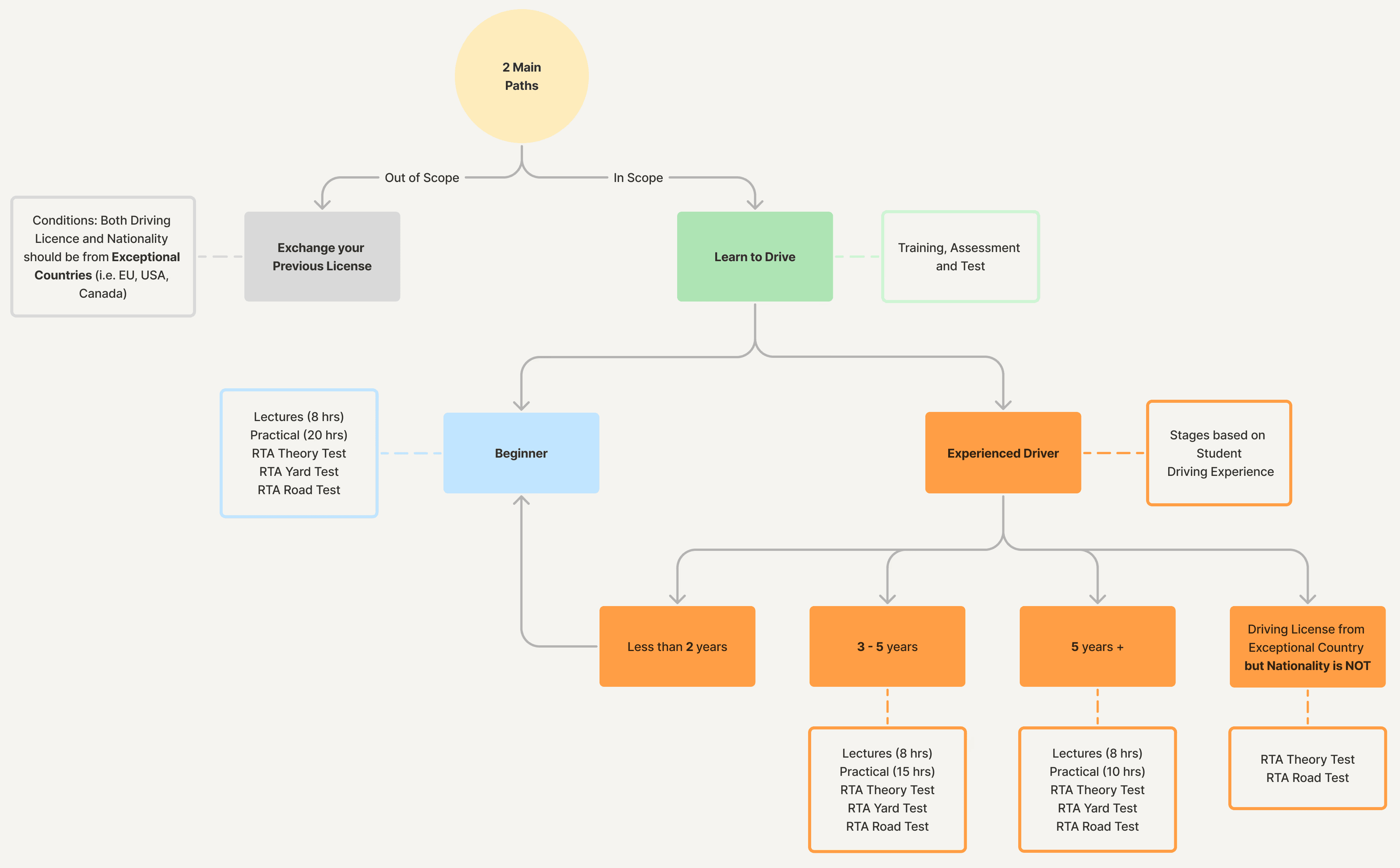
The driving licence process is governed by strict RTA rules based on nationality, licence origin, and driving experience. This complexity directly contributed to user confusion and drop-offs.

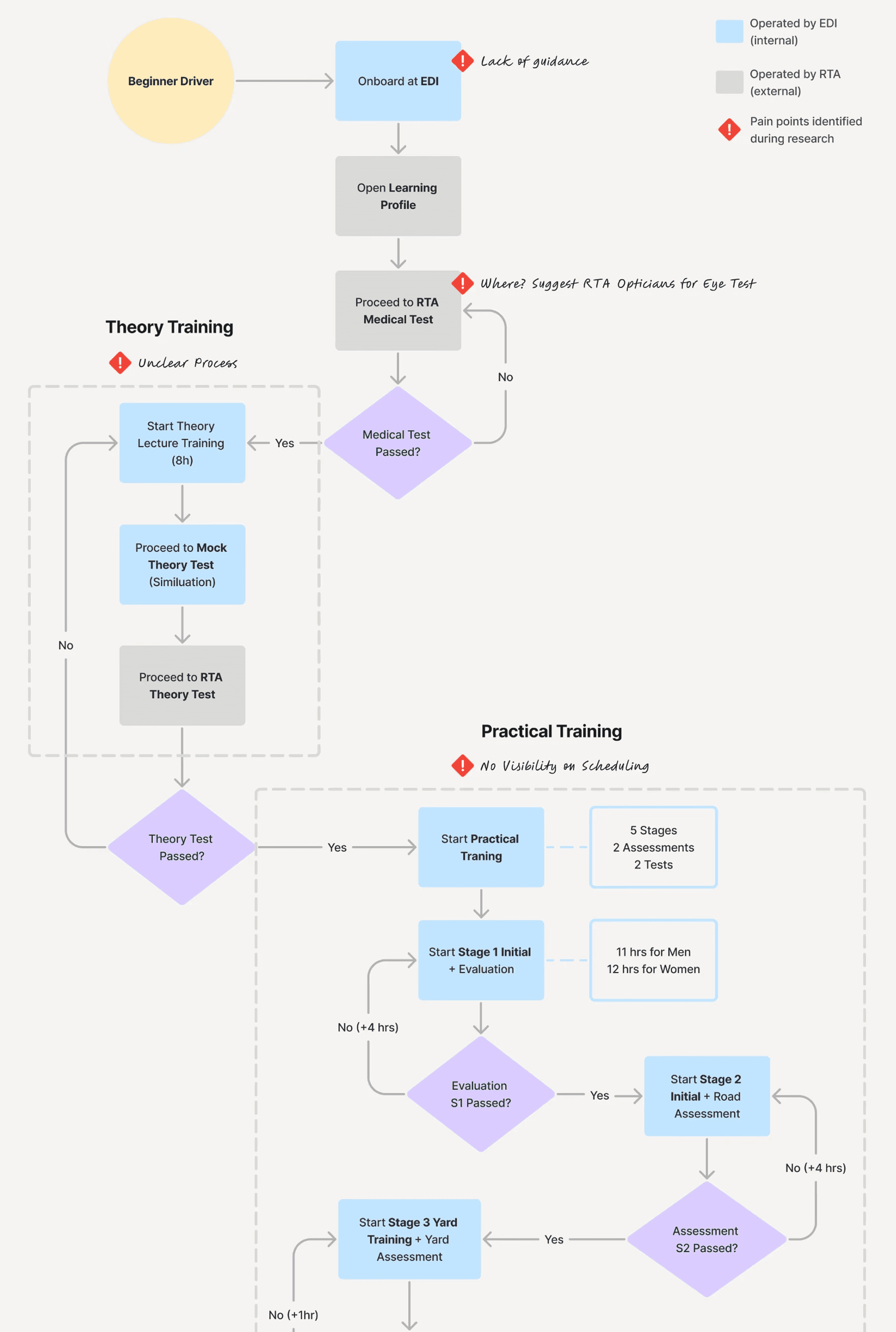
Journey Analysis
Beginner Driver Operational Flow
I mapped the real operational journey students follow to obtain their driving licence, including both EDI processes and RTA-governed steps. This end-to-end analysis revealed operational constraints and key friction points in the online experience. These insights informed the redesign of a guided, decision-based onboarding flow.
UX Strategy
Mobile-First
Reduce Cognitive Load
Guided Steps
Personalisation
baed on the experience, nationality, license…
Rules-Based Logic (RTA Compliance)
Self-Service Autonomy

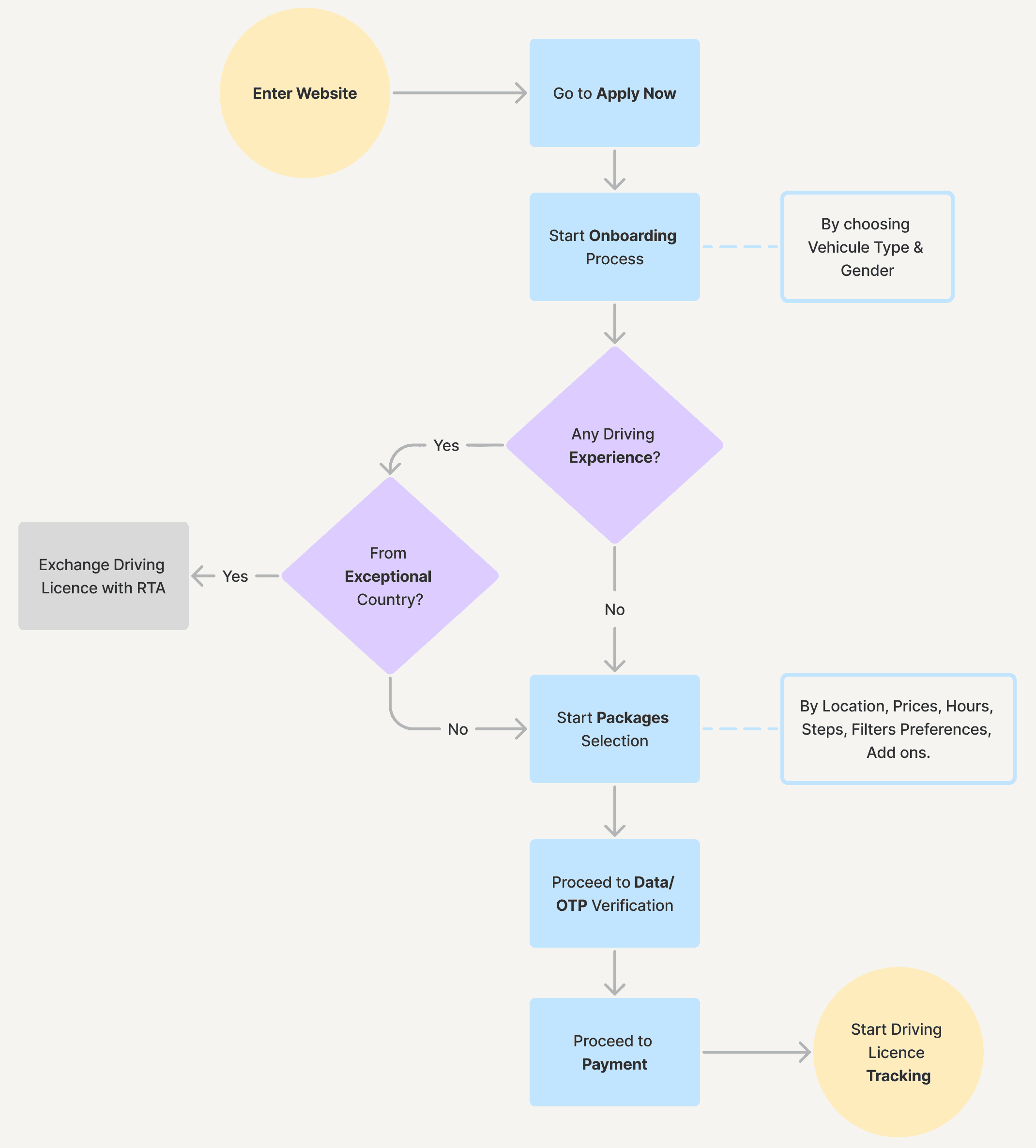
Information Architecture
Decisions-Based Onboarding Flow
Building on identified user pain points and RTA constraints, I redesigned the onboarding logic into a guided, mobile-first experience. Complex eligibility rules and package logic were translated into a clear, step-by-step flow aligned with both system requirements and user mental models, reducing cognitive load across the journey.
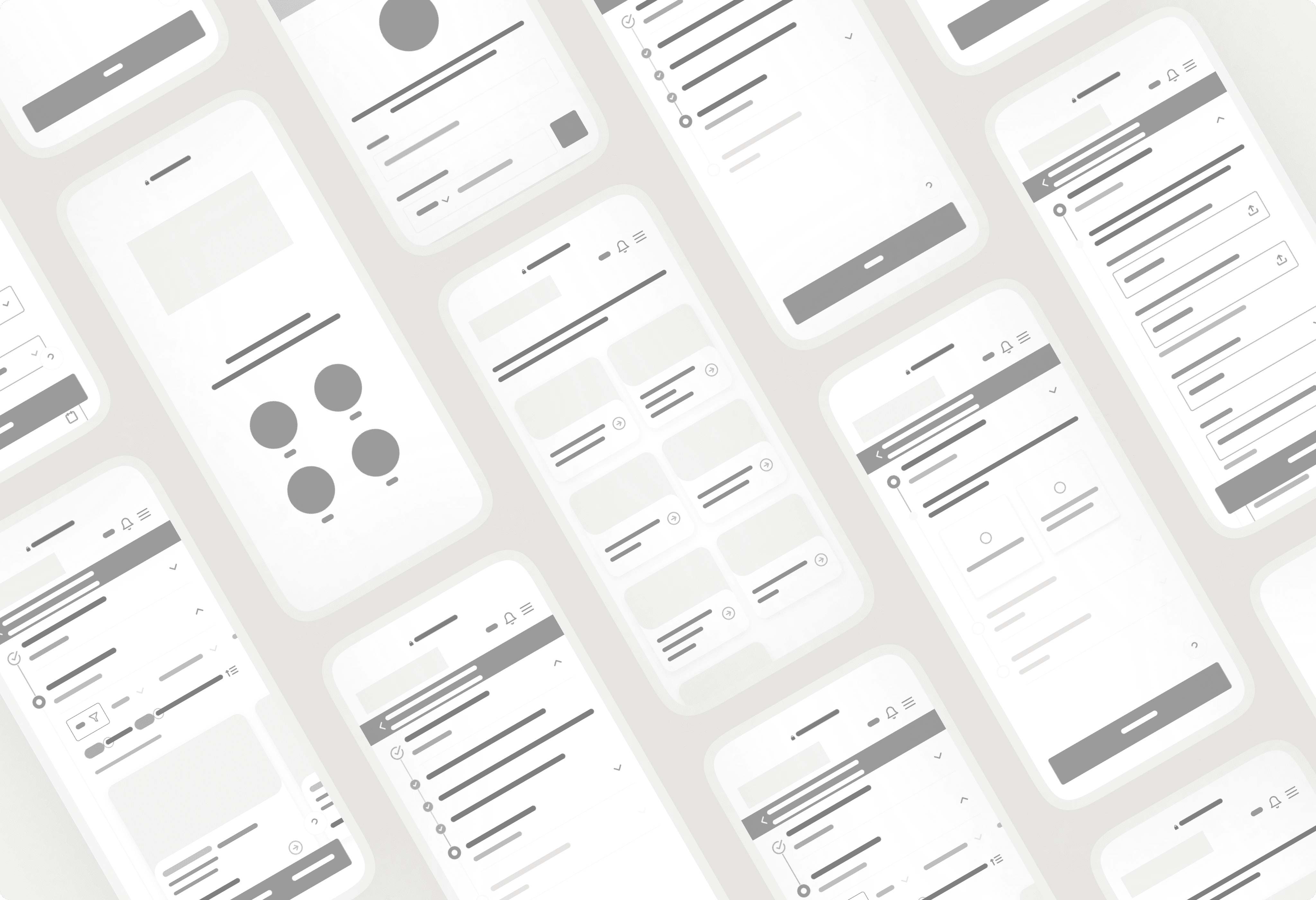
Wireframing
Visual Style
Font
Inter
Aa
Aa
Aa
Aa
Inter was selected because it provides a neutral, system-friendly aesthetic that aligns perfectly with scalable product interfaces. It enhances clarity and reduces cognitive load, which supports users navigating a complex process.
Inter Bold
Inter Medium
Inter Regular
Inter Light
Colors
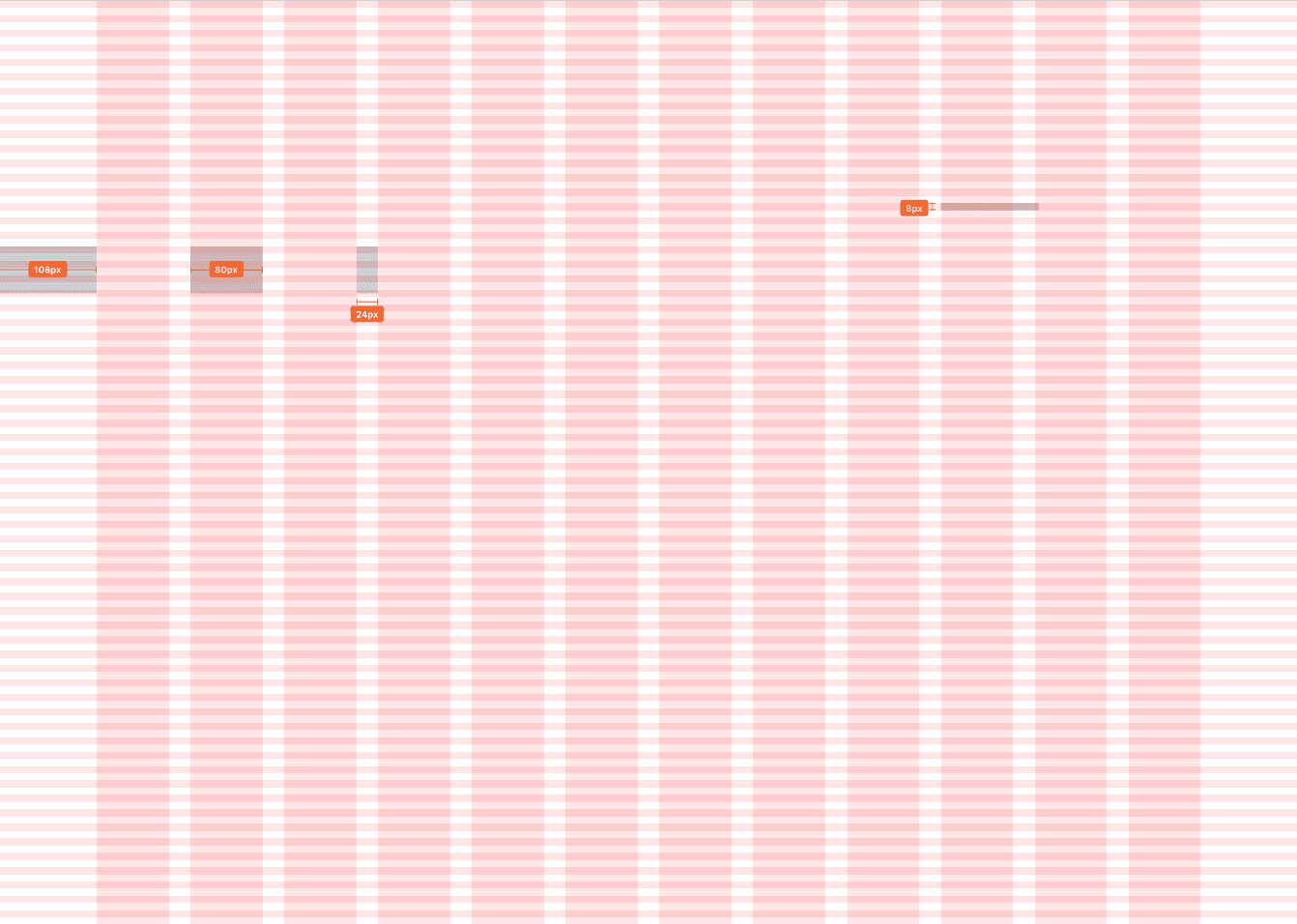
Spacing

Final Design
To follow the UX strategy and solve these issues, we focused on a guided onboarding, a mobile-first experience, a clear eligibility logic, a simplified package selection and a step-by-step progression.
Smart Assessment Flow
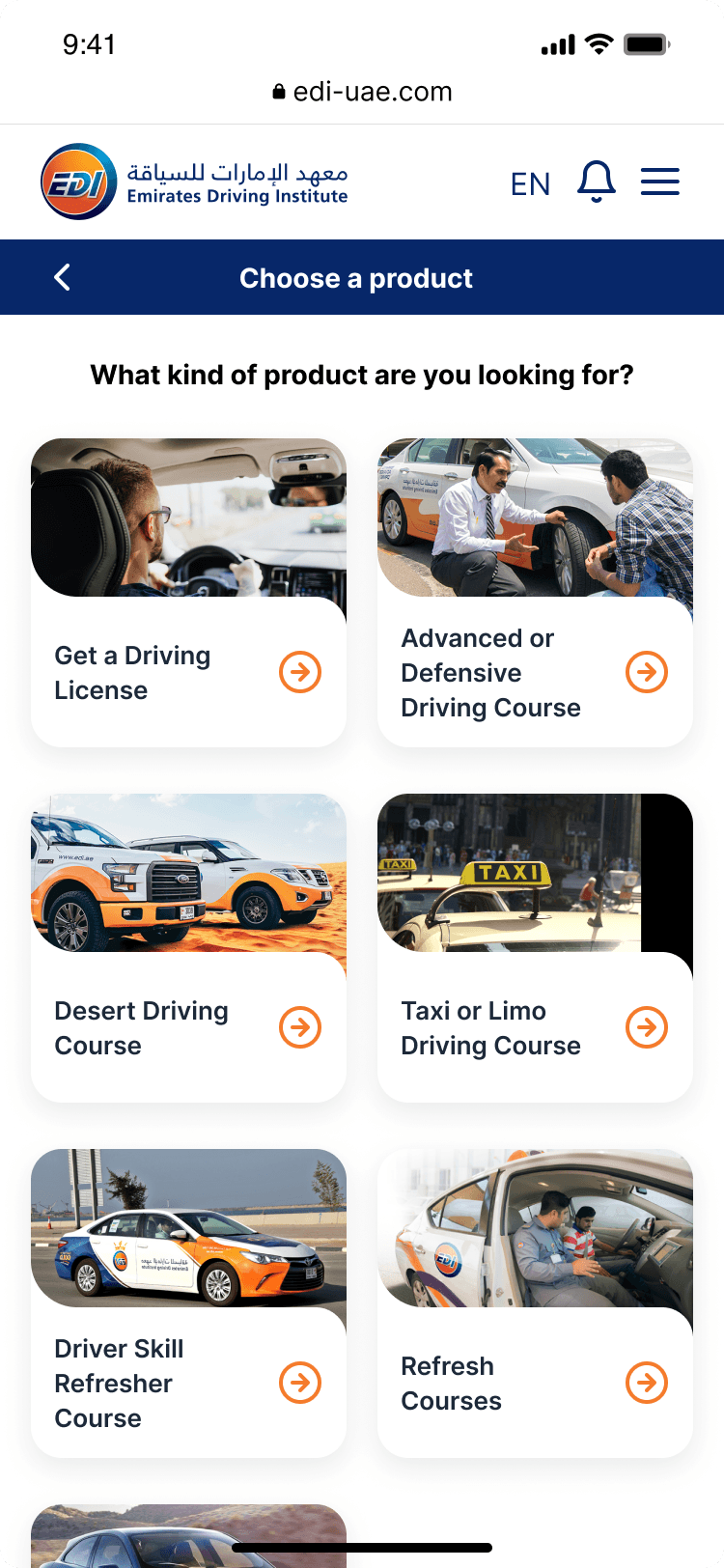
Product selection
This screen presents all EDI services in a visual, mobile-friendly catalogue. Large cards with imagery help users quickly recognise the course they need, reducing cognitive load and speeding up navigation toward the onboarding flow.
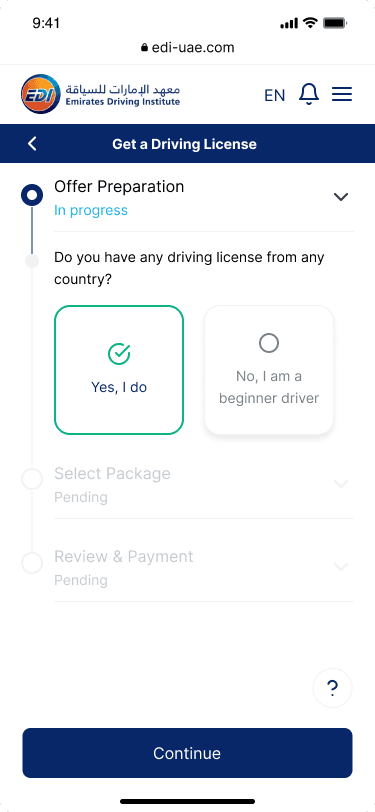
Eligibility question
This screen initiates the guided onboarding. The user answers a simple binary question about holding a foreign driving licence. This reduces complexity early on and personalises the flow dynamically based on RTA rules.
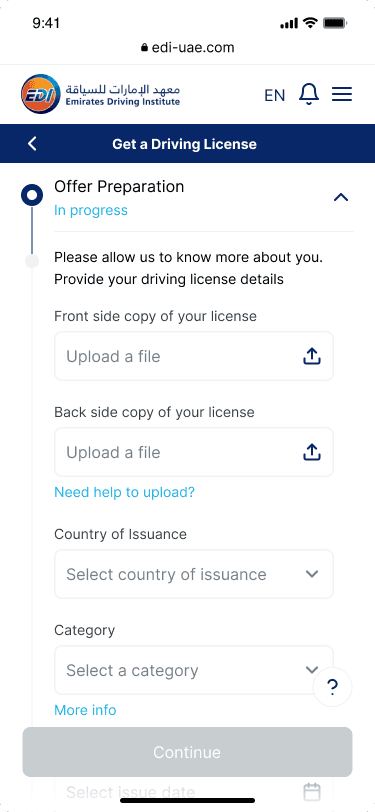
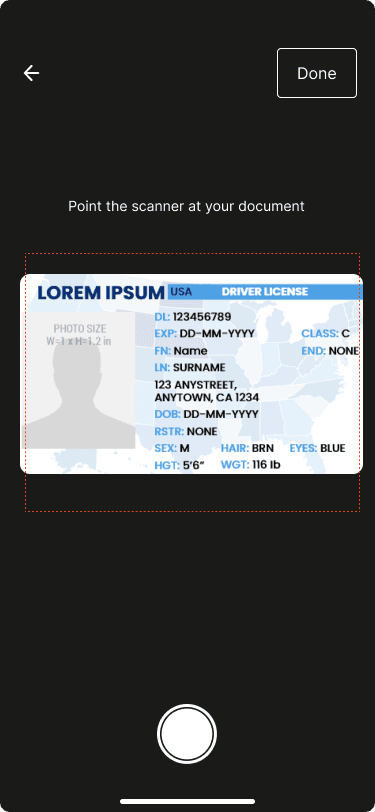
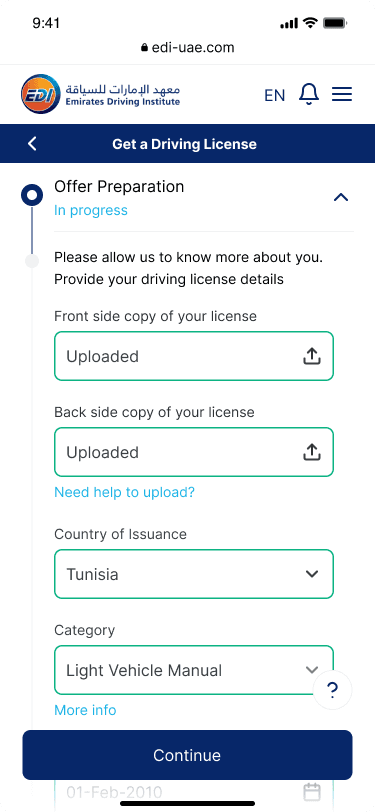
Document upload & Profile details
Users can capture their driving licence and ID using a guided camera interface, then upload the front/back images, select the country of issuance, and choose the licence category. Clear input states, inline help, and adaptive guidance ensure a smooth experience. Once all details are validated, the system automatically builds the user’s profile and unlocks the next step of the process.
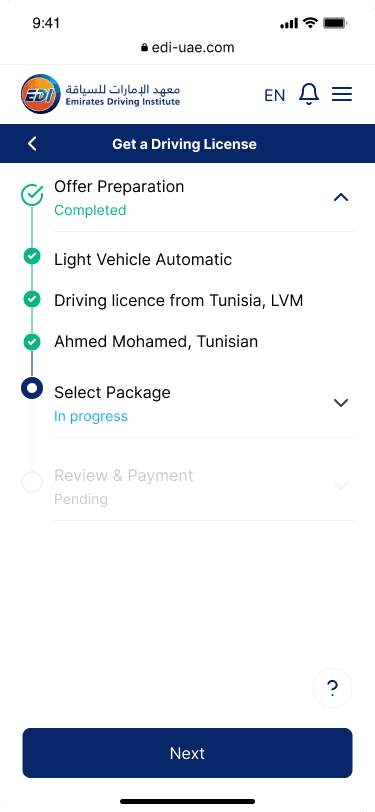
Step summary
This screen provides a transparent, collapsible summary of all validated inputs (licence type, nationality, category). It reinforces trust, reduces errors, and prepares the user for the next step: package selection.
Modern & Trusted
Accessible
Mobile First
Government Compliant
Package Recommendation Engine
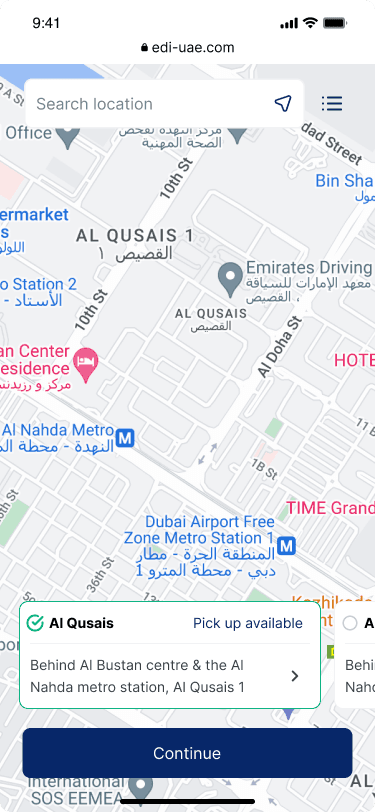
Location Selection
The map-based (or list) interface lets users choose a branch in the most natural way: visually, by proximity. The bottom card summarises the selected location and pickup availability.
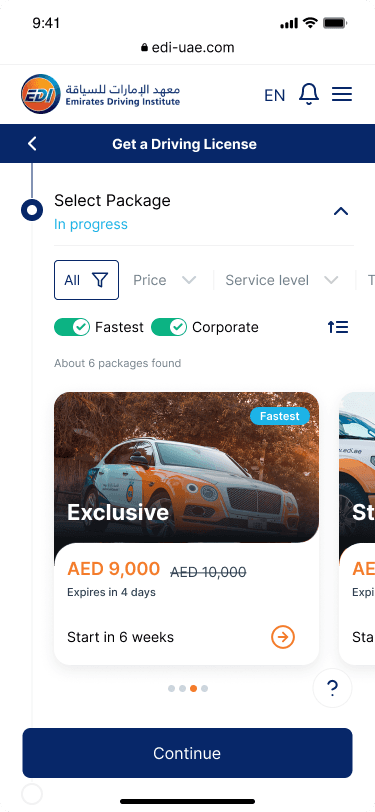
Package List
The most relevant packages first, using clear filters (price, service level, language...) and a card layout that highlights the key decision factors: price, start date, and benefits. The large visual card and simple chip toggles make it easy to compare options.
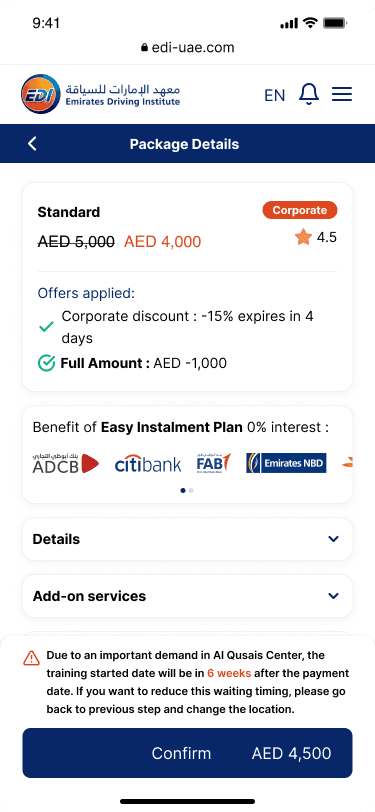
Package Details
Explains why a package is recommended by breaking down discounts, payment options, and add-ons in a clean, stacked layout. The strong visual hierarchy helps users confidently confirm their choice without feeling tricked.
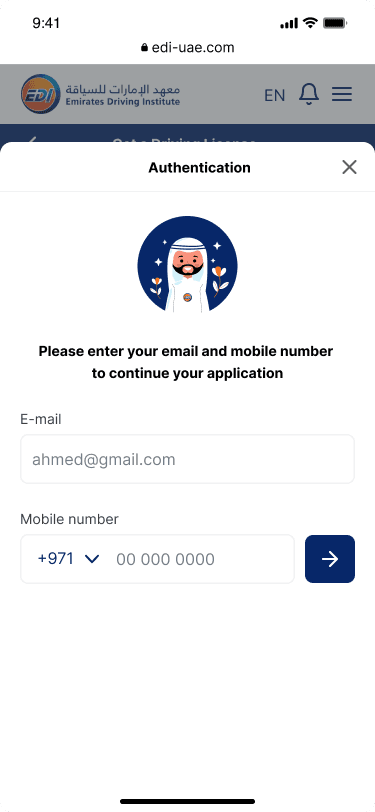
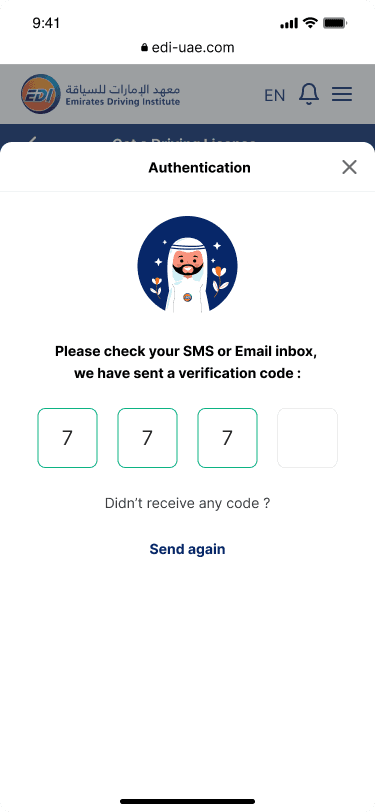
OTP Verification
Data
Account Security
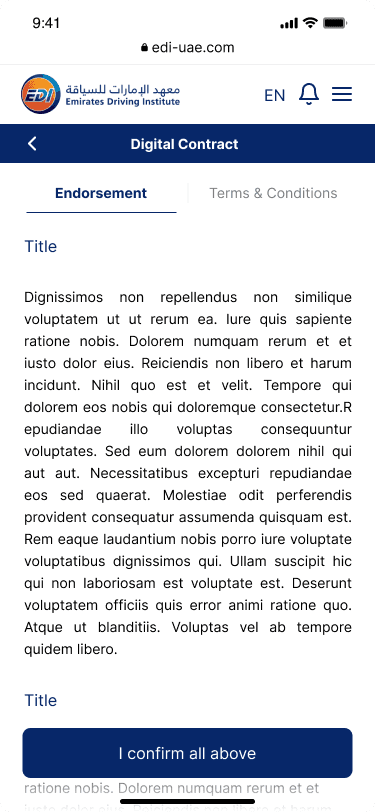
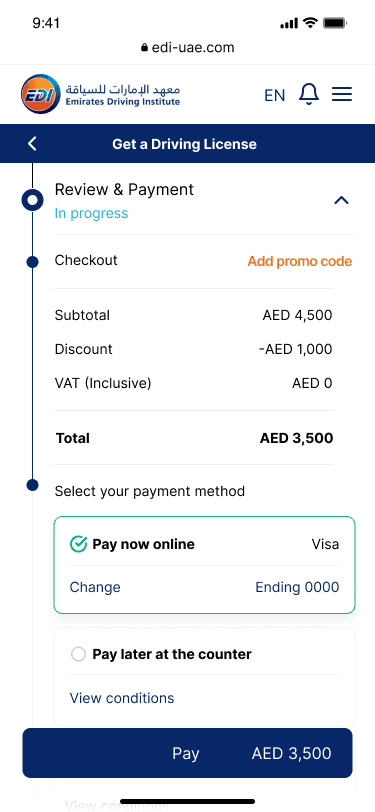
Payment
Transparent Breakdown
Secure Payment Gateways
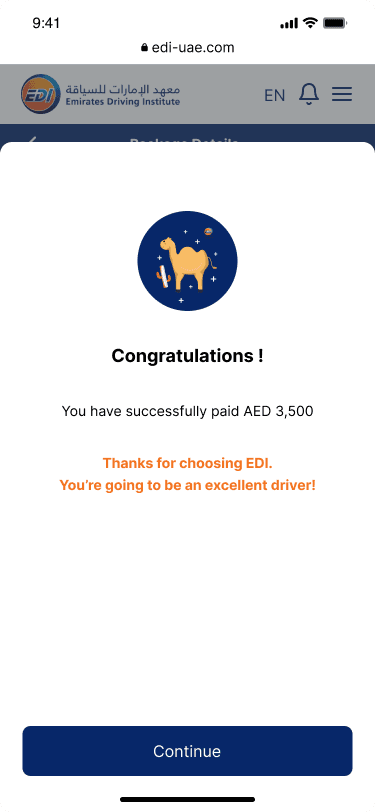
Clear Payment Confirmation
Legal Digital Signature

Driving Journey Dashboard
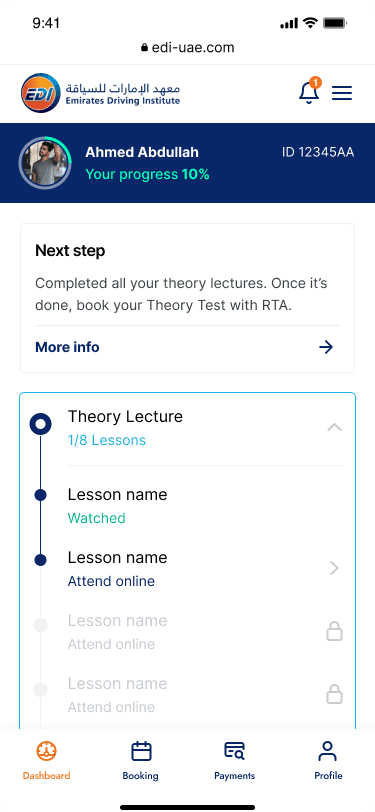
Theory Lectures
Learning
Progress Tracking
Students can follow their theory lectures step by step, see completed and upcoming lessons, and understand what’s required before booking the RTA theory test. Clear status indicators reduce uncertainty and help maintain learning momentum.
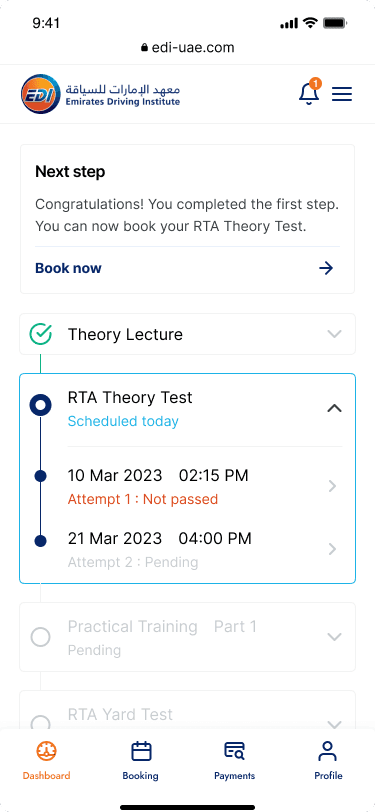
RTA Theory Test
Test
Scheduling
Once theory lectures are completed, students are guided to book their official RTA theory test. The interface shows available slots, test status, and next actions, reducing reliance on customer support.
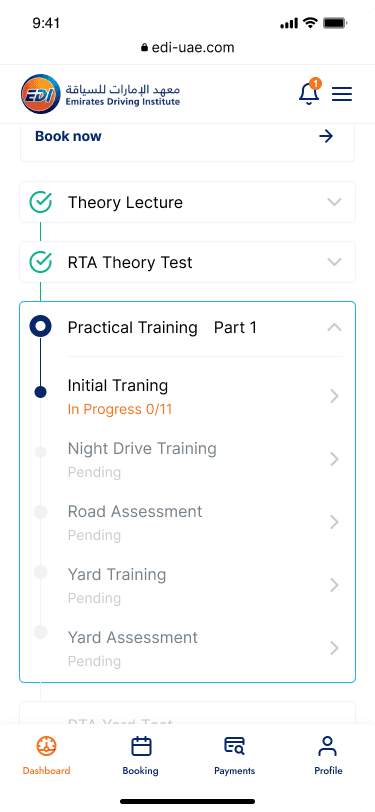
Practical Training
Structured Driving Practice
Practical training is broken down into clear stages (initial, night, road, yard), each with visible progress and assessment checkpoints. This helps students understand where they stand and what’s required to move forward.
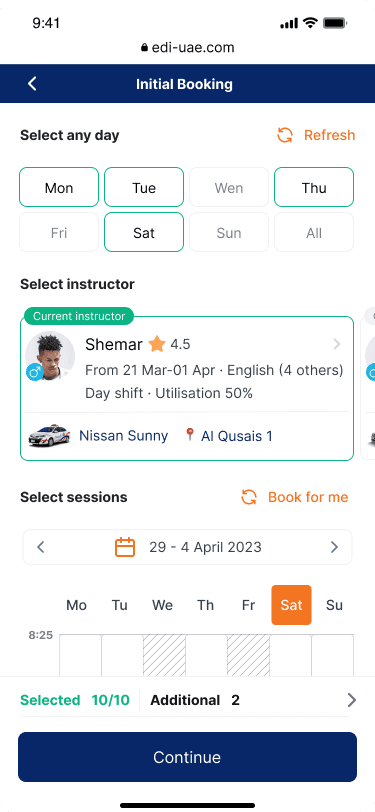
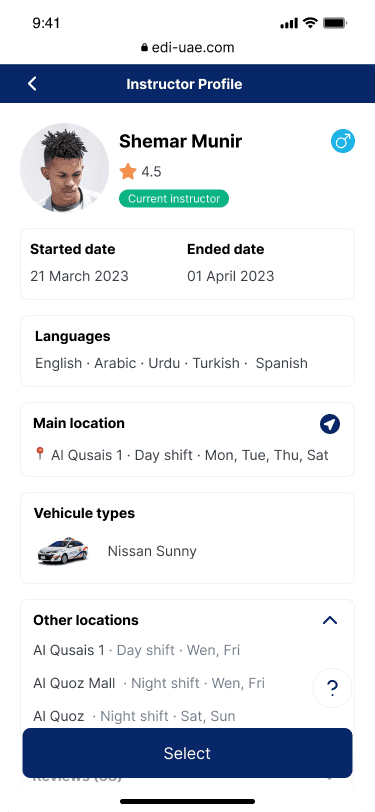
Booking Training
Instructor
Location
Schedule
Students can independently book sessions by choosing an instructor, vehicle type, location, and time slots. This self-service approach improves flexibility while reducing manual scheduling requests.
Final Step
Assessment Visibility
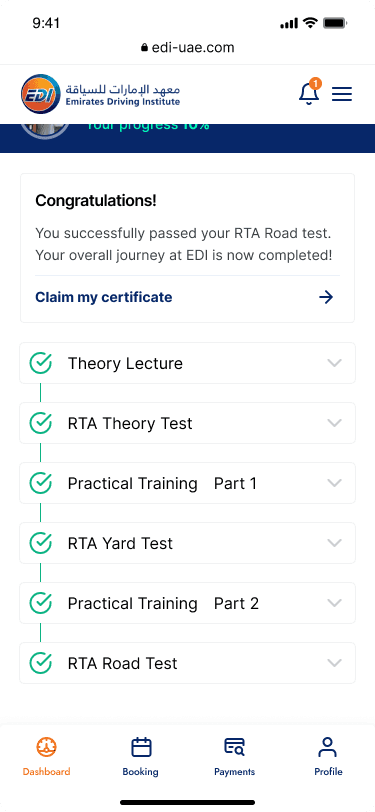
Journey Completion
Certification
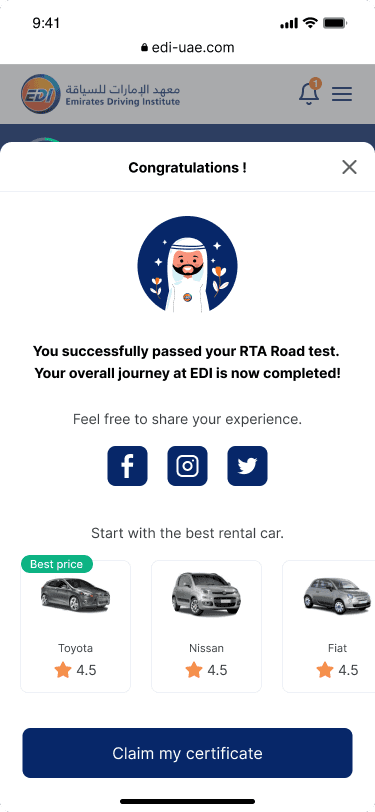
After successfully passing all required tests, students receive a clear confirmation of completion. The dashboard closes the journey by enabling certificate access and reinforcing a sense of achievement.
Usability Testing
My objective was to validate whether the new mobile-first onboarding flow improves users’ understanding of eligibility rules, increases trust in the package selection, and reduces drop-off during registration.
Method
8 participants
Expats
Beginners
Moderated testing
40 minutes
Mobile-first Figma
Tasks based
Tasks
1. Check eligibility
2. Choose a package
3. Complete OTP verification
4. Review payment
5. Identify next steps
What we improved after testing?
Content
Added microcopy & Help panels.
Simplified payment summary.
Structure
Strengthened visual hierarchy.
Added progress indicator.
Key Findings
Eligibility Flow
✔ Clearer distinctions Exchange vs. Learn to Drive.
✔ Users understood nationality & Experience rules.
✖ Added a “Why am I not eligible?” clarification panel.
Package
✔ The guided recommendation increased trust.
✔ Users found the pricing/hour much clearer.
✖ Added a short “Why this package?” explanation.
Information
✔ RTA rules were finally understood without scrolling.
✔ Contextual hints reduced confusion.
✖ Added small icons to make rules scannable.
Package
✔ High readability and fast scanning.
✔ Users completed steps faster.
✖ Back-navigation improved after feedback.
Impact & Results
-30%
Customer Support Calls
+45%
Online Onboarding Completion
Better
Clarity on RTA Rules
-22%
Drop-off at Step 1
Conclusion
Challenge Passed!
We transformed a complex, RTA-driven process into a simple, guided, mobile-first onboarding experience that empowers students and reduces operational costs.
What’s Next?
→ AI Onboarding Chatbot
→ Real-time Test Availability
→ Automated Training Schedule Suggestions
Emirates Driving Institute Study Case
Year
2023
Deliverables
UX
UI
Research
Service
Responsive
Website
Scope
Global Research
User Journey
Brainstorm
Interview
User Flow
Sketching
Wireframes
UI Prototyping
Usability Testing
Design System